Bridging ETH means moving your ETH from Ethereum Mainnet to a Layer 2 network such as Arbitrum, Optimism or Base. Layer 2 networks process transactions faster and at a fraction of the cost of Mainnet. A simple token swap that costs $20 on Mainnet costs under $0.50 on Arbitrum and under $0.30 on Base. This guide covers what a Layer 2 bridge is, how to add each network to MetaMask, step-by-step instructions for bridging ETH to all three networks, how to withdraw back to Mainnet, and the most common mistakes to avoid.
What is a Layer 2 bridge?
A Layer 2 bridge is the mechanism that moves ETH between Ethereum Mainnet and a Layer 2 network. When you bridge ETH, your ETH is not actually transferred anywhere. It is locked in a smart contract on Mainnet, and an equivalent amount of ETH is issued on the L2 network for you to use. When you bridge back, the L2 version is burned and your original ETH is released from the Mainnet contract.
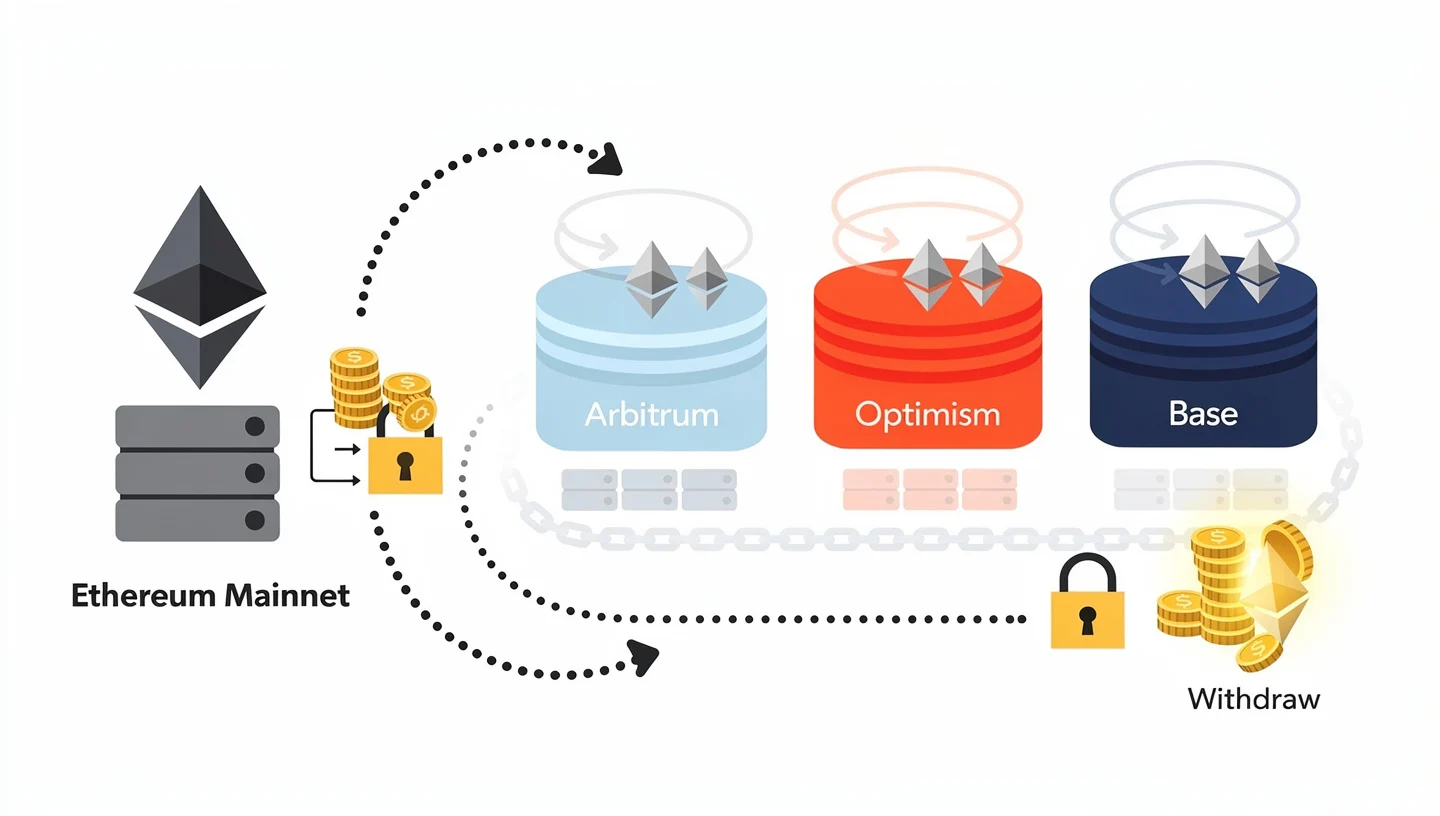
Arbitrum, Optimism and Base are all optimistic rollups. They process transactions off Mainnet in batches and post compressed data back to Ethereum. Because they inherit Ethereum security, the funds on these networks are protected by the same proof-of-stake consensus that secures Mainnet itself. The difference between Mainnet and these networks is cost: Mainnet gas fees run roughly $5-50 per transaction, while Arbitrum and Optimism average $0.10-0.50, and Base averages $0.05-0.30. The full mechanics of how Ethereum validates and records transactions are covered in the guide on how Ethereum works.
Arbitrum, Optimism and Base compared
The three networks share the same rollup architecture but differ in focus, fee levels and who they suit best. Before bridging, check which network fits your use case.
| Network | Type | Avg deposit time | Avg deposit fee | Withdrawal time | TVL | Best for |
|---|---|---|---|---|---|---|
| Arbitrum One | Optimistic rollup | 15-30 min | $0.10-0.50 | 7 days (native) / minutes (Hop) | ~$3.9B | DeFi, trading, deep liquidity |
| Optimism | Optimistic rollup | 15-30 min | $0.10-0.50 | 7 days (native) / minutes (Hop) | ~$0.5B+ | Apps, OP Stack builders |
| Base | Optimistic rollup | 2-15 min (third-party) | $0.05-0.30 | 7 days (native) | ~$4.3B | Retail users, Coinbase users |
The chain IDs you need when adding these networks to your wallet are: Arbitrum One: 42161, Optimism: 10, Base: 8453. A note on Base: the original bridge at bridge.base.org was deprecated in September 2025. Do not use it. The options covered below are the current working alternatives.
For DeFi users who need deep liquidity, Arbitrum is the default choice. For users who already hold funds on Coinbase or want the lowest gas fees, Base is the better starting point. Optimism is strongest for users building on OP Stack chains or those who prefer the Superchain network of connected L2s. The underlying proof-of-stake mechanism that secures all three is explained in the guide on Ethereum proof of stake.
What you need before you bridge
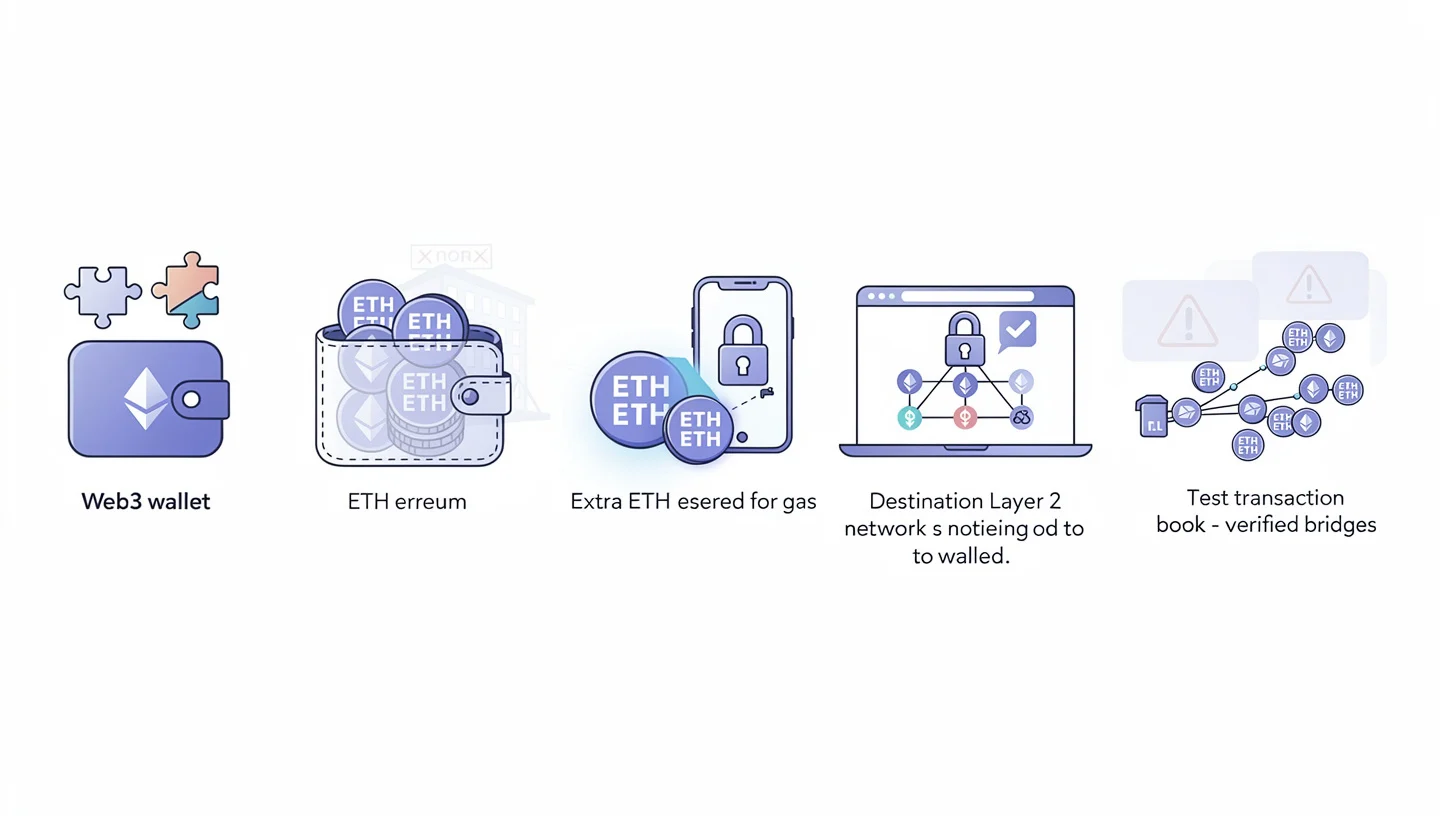
Before you bridge ETH to any Layer 2, make sure you have the following in place.
- A Web3 wallet. MetaMask is the most widely supported option. Coinbase Wallet and Rainbow also work with all three networks covered here.
- ETH in your wallet, not on an exchange. Bridge interfaces connect to your wallet directly. ETH sitting on Coinbase or Binance cannot be bridged until you withdraw it to your wallet first.
- Extra ETH for gas on Mainnet. The bridge transaction itself costs a gas fee paid from your Mainnet balance. Never bridge your entire ETH balance. Leave at least 0.005 ETH in your wallet to cover the gas fee.
- The destination network added to MetaMask. Your wallet needs to know about the network you are bridging to before it can display your balance there. The next section covers exactly how to do this.
- Verified bridge URLs bookmarked. Phishing sites copy the exact appearance of bridge interfaces. Always navigate to the bridge directly and bookmark the URL rather than relying on search results.
One additional tip before bridging larger amounts: send a test transaction first. Bridge 0.005 ETH as a test run before committing a larger amount. The process is identical regardless of size, and a test confirms that your wallet setup and network configuration are correct. The guide on how to buy Ethereum covers acquiring ETH if you do not have any yet.
How to add Arbitrum, Optimism and Base to MetaMask
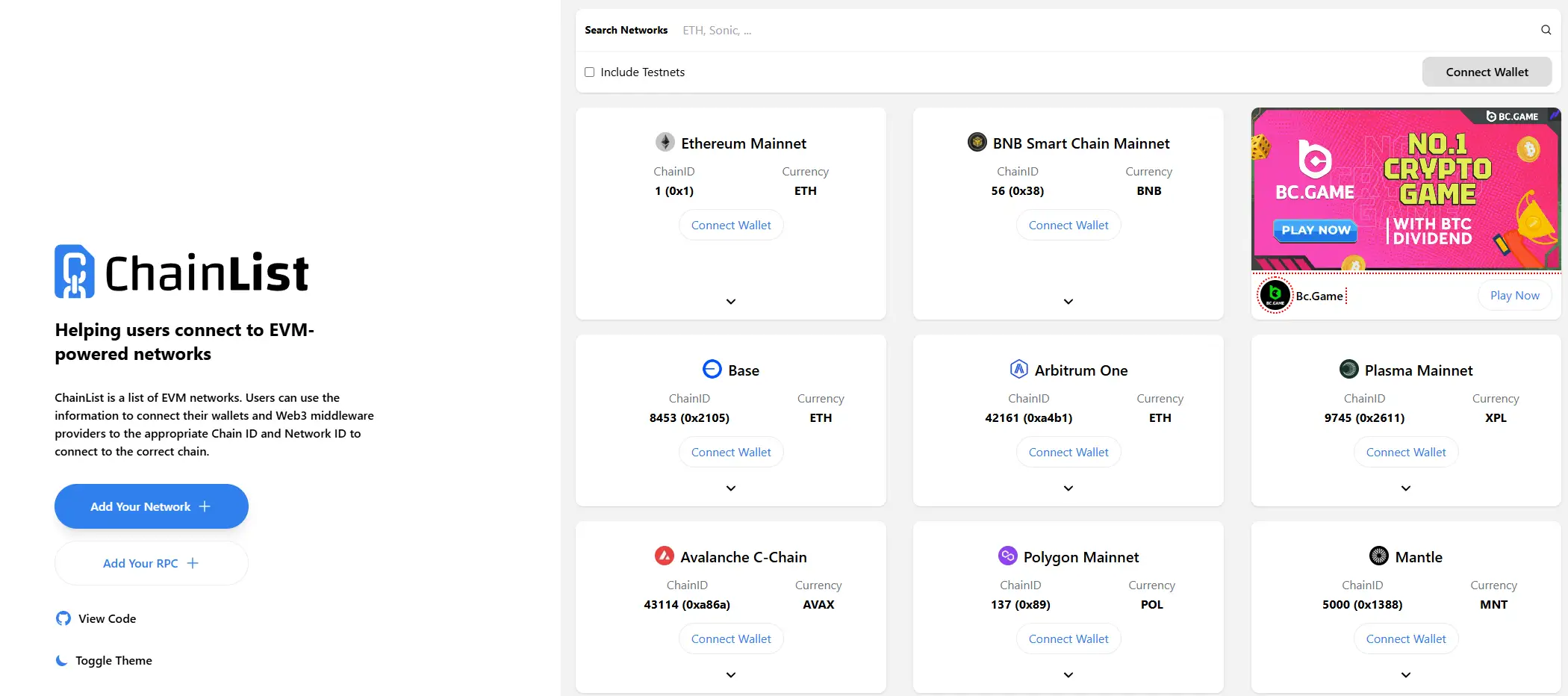
Your MetaMask wallet needs each network added before it can display balances on that network. There are two methods.
Method 1: Chainlist.org (recommended)
- Go to chainlist.org, a verified directory of EVM network settings.
- Search for the network you want: Arbitrum One, Optimism, or Base.
- Click Add to MetaMask next to the correct network.
- Approve the network addition in the MetaMask popup.
Method 2: add manually in MetaMask
Open MetaMask, go to Settings, select Networks, then click Add a network. Use the settings below for each network.
| Network | RPC URL | Chain ID | Currency symbol |
|---|---|---|---|
| Arbitrum One | https://arb1.arbitrum.io/rpc | 42161 | ETH |
| Optimism | https://mainnet.optimism.io | 10 | ETH |
| Base | https://mainnet.base.org | 8453 | ETH |
All three networks use ETH as the gas token. Once a network is added, you can switch to it using the network selector in the top-left corner of MetaMask. Your wallet address is the same across all EVM networks: the same 0x address works on Mainnet, Arbitrum, Optimism and Base. How MetaMask works with smart contracts on each network is covered in the guide on what smart contracts are.
How to bridge ETH to Arbitrum: step-by-step
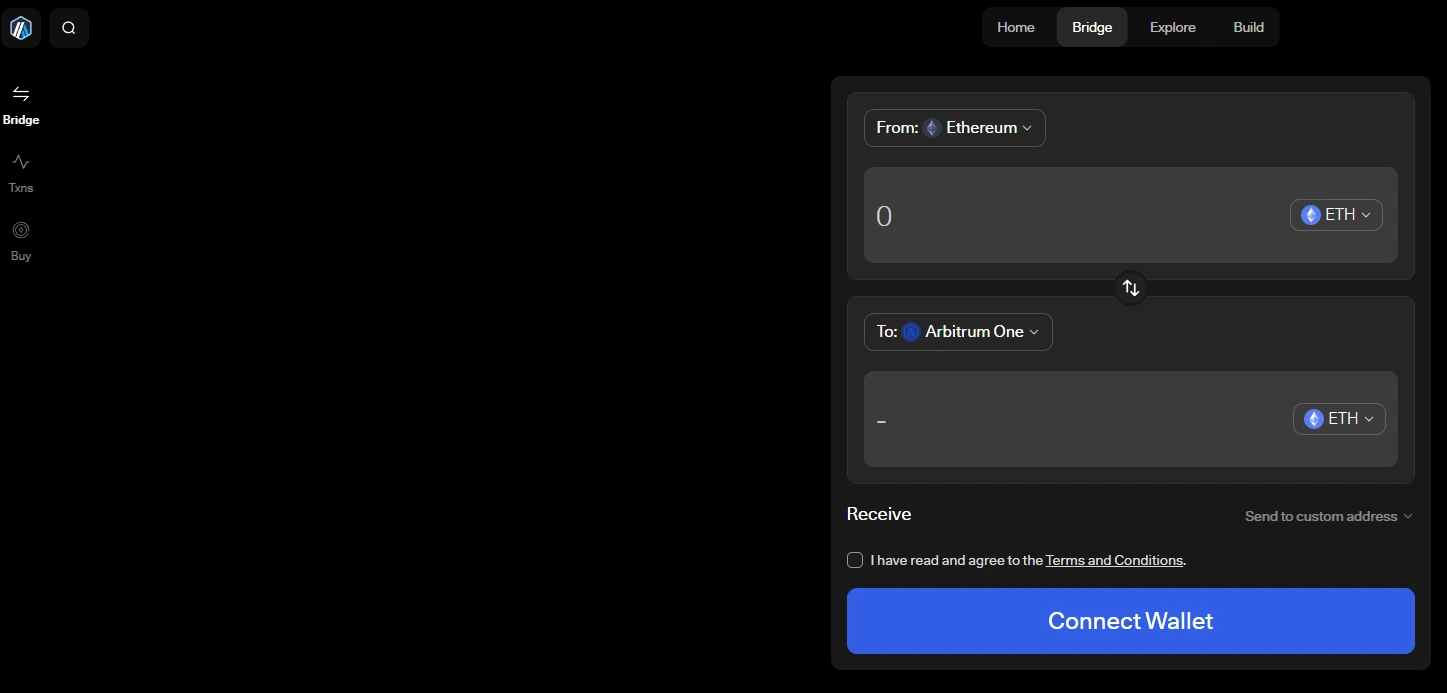
The official Arbitrum bridge at bridge.arbitrum.io is the highest-security option for bridging ETH to Arbitrum. Deposits arrive in 15-30 minutes depending on Mainnet congestion.
- Go to bridge.arbitrum.io. This is the official Arbitrum Bridge. Bookmark this URL.
- Click Connect Wallet and select MetaMask from the list. Approve the connection.
- Confirm your wallet is on Ethereum Mainnet. The network selector at the top of the page should show Mainnet. If it shows Arbitrum or another network, switch back to Mainnet in MetaMask before continuing.
- Select ETH as the token and enter the amount you want to bridge. Remember to leave at least 0.005 ETH in your wallet for the gas fee.
- Click Move funds. The bridge interface will show an estimated gas fee for the deposit transaction.
- Review and confirm in MetaMask. Check the amount and the gas fee in the MetaMask popup, then click Confirm. Do not close the browser tab.
- Wait 15-30 minutes. You can track the transaction on Etherscan using your wallet address or paste the transaction hash into Arbiscan.
- Switch MetaMask to Arbitrum One using the network selector. Your ETH balance on Arbitrum should appear once the deposit is confirmed.
Important: do not bridge ETH directly from a centralised exchange account. Exchanges hold ETH on their own internal networks. Withdraw from the exchange to your MetaMask wallet on Ethereum Mainnet first, then bridge from there. Sending from an exchange directly to a bridge URL can result in lost funds. The gas fees involved in the bridge deposit are explained in the guide on Ethereum gas fees.
How to bridge ETH to Optimism: step-by-step
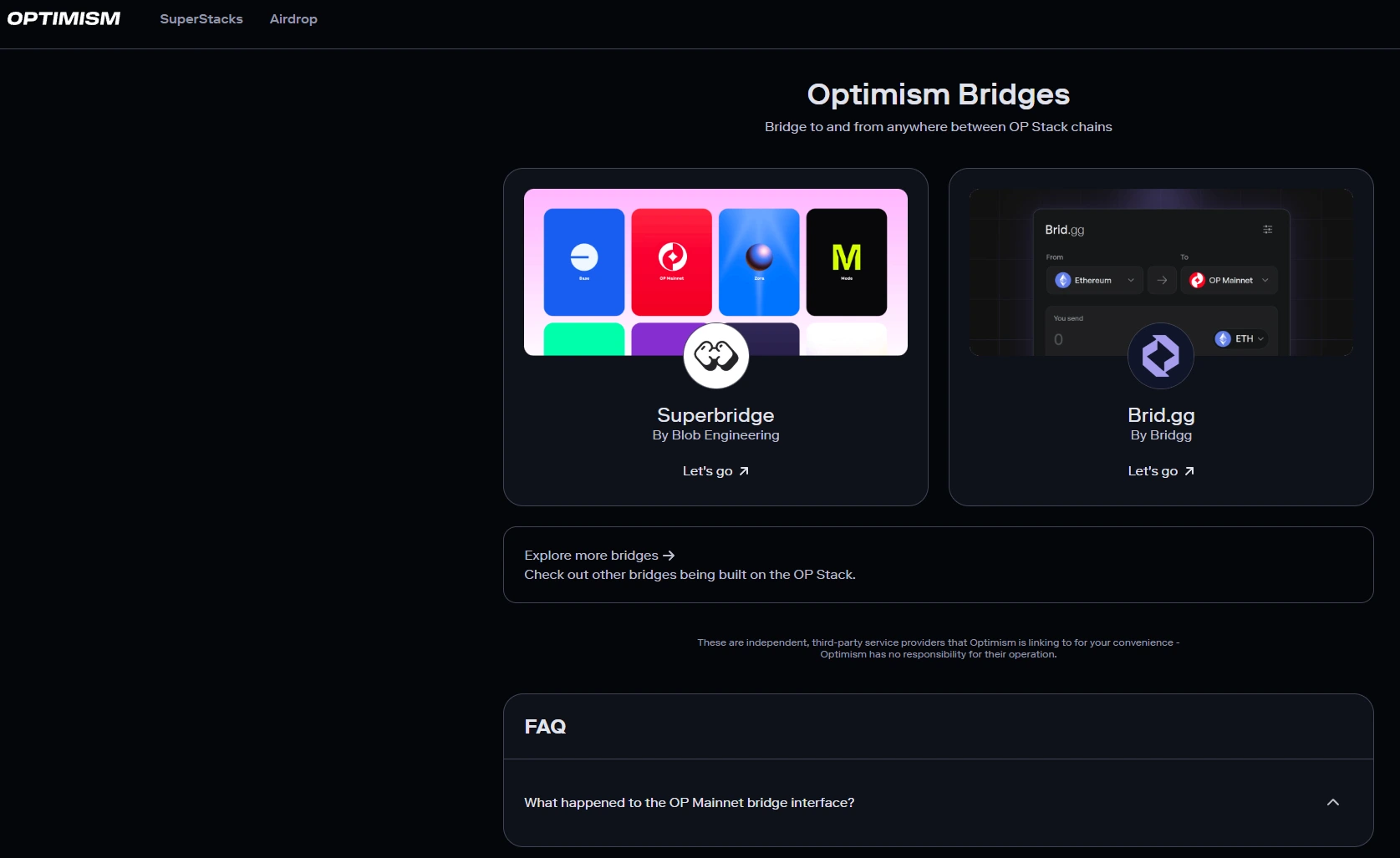
The official Optimism bridge is at app.optimism.io/bridge. The process is nearly identical to the Arbitrum bridge, with ETH arriving on Optimism in 15-30 minutes.
- Go to app.optimism.io/bridge. This is the official Optimism bridge interface.
- Click Connect Wallet and select MetaMask. Approve the connection in the MetaMask popup.
- Confirm your wallet is set to Ethereum Mainnet. The Deposit tab should be selected by default. If you see Withdraw, click Deposit to switch.
- Select ETH and enter the amount to bridge.
- Click Deposit, review the estimated gas fee, then click Confirm in MetaMask.
- Wait 15-30 minutes for the deposit to confirm on Optimism.
- Switch MetaMask to Optimism using the network selector and check your balance.
An alternative to the official Optimism bridge is superbridge.app, which supports the full OP Stack network of protocols including Optimism, Base and other OP Chain networks from a single interface. The role of ETH as the gas token on these networks is covered in the guide on what ETH is.
How to bridge ETH to Base: step-by-step
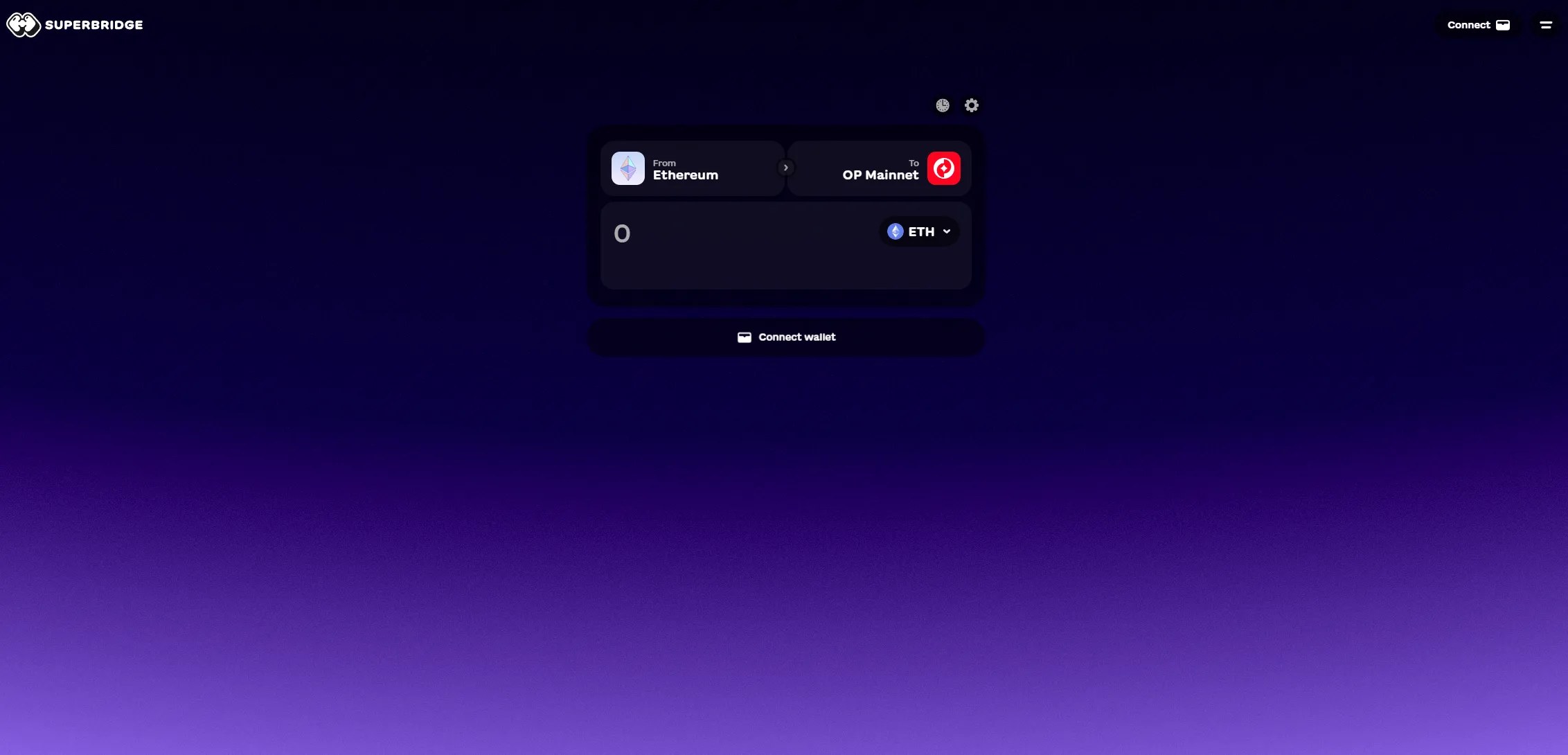
Important: the original Base bridge at bridge.base.org was deprecated in September 2025 and is no longer available. Use superbridge.app for the native bridge option, or Across Protocol for a faster third-party route.
Method A: Superbridge (native bridge)
- Go to superbridge.app.
- Select Ethereum as the origin chain and Base as the destination.
- Connect your MetaMask wallet and approve the connection.
- Enter the ETH amount you want to bridge. Review the fee estimate.
- Confirm the transaction in MetaMask.
- Wait 3-15 minutes for the ETH to arrive on Base.
- Switch MetaMask to Base (chain ID 8453) and check your balance.
Method B: Across Protocol (faster, slightly higher fee)
- Go to across.to.
- Set From to Ethereum Mainnet, To to Base, and select ETH as the token.
- Connect your wallet and enter the amount.
- Set the relayer fee. A higher relayer fee means faster processing. The default is usually fine for most amounts.
- Confirm the transaction in MetaMask. Across completes most transfers in 18 seconds to 2 minutes.
- Switch to Base in MetaMask and confirm the ETH has arrived.
Native bridge vs third-party bridge: which should you use?
There are two categories of bridge for moving ETH to Layer 2: native bridges operated by the network itself, and third-party bridges such as Across Protocol and Hop Protocol. Each has different tradeoffs for speed, cost and security.
| Native bridge | Third-party bridge (Across, Hop) | |
|---|---|---|
| Security | Highest, directly inherits Ethereum security | High, audited, non-custodial smart contracts |
| Deposit speed | 15-30 minutes | Seconds to 2 minutes |
| Deposit fee | Lower (gas only) | Slightly higher (gas + relayer fee) |
| Withdrawal time | 7 days | Minutes |
| Best for | Large amounts, maximum security | Speed, convenience, withdrawals |
Use the native bridge when you are moving amounts above $10,000 and want the highest possible security. Use a third-party bridge such as Across or Hop when you need funds on L2 quickly, or when withdrawing back to Mainnet and do not want to wait seven days. For a first-time bridge, third-party options are easier to use and faster to confirm.
The main third-party options in 2026 are Across Protocol (across.to) for the fastest transfers, typically 18 seconds L1 to L2. Hop Protocol (hop.exchange) for strong liquidity and reliable fast withdrawals, and Orbiter Finance (orbiter.finance) for L2-to-L2 routes. All three are non-custodial: your private keys never leave your wallet.
How to bridge L2-to-L2 without going through Mainnet
If you already have ETH on one Layer 2 and want to move it to a different L2, you do not need to bridge back to Mainnet first. Direct L2-to-L2 bridging skips Mainnet entirely, which saves the higher gas fee of a Mainnet transaction and is significantly faster.
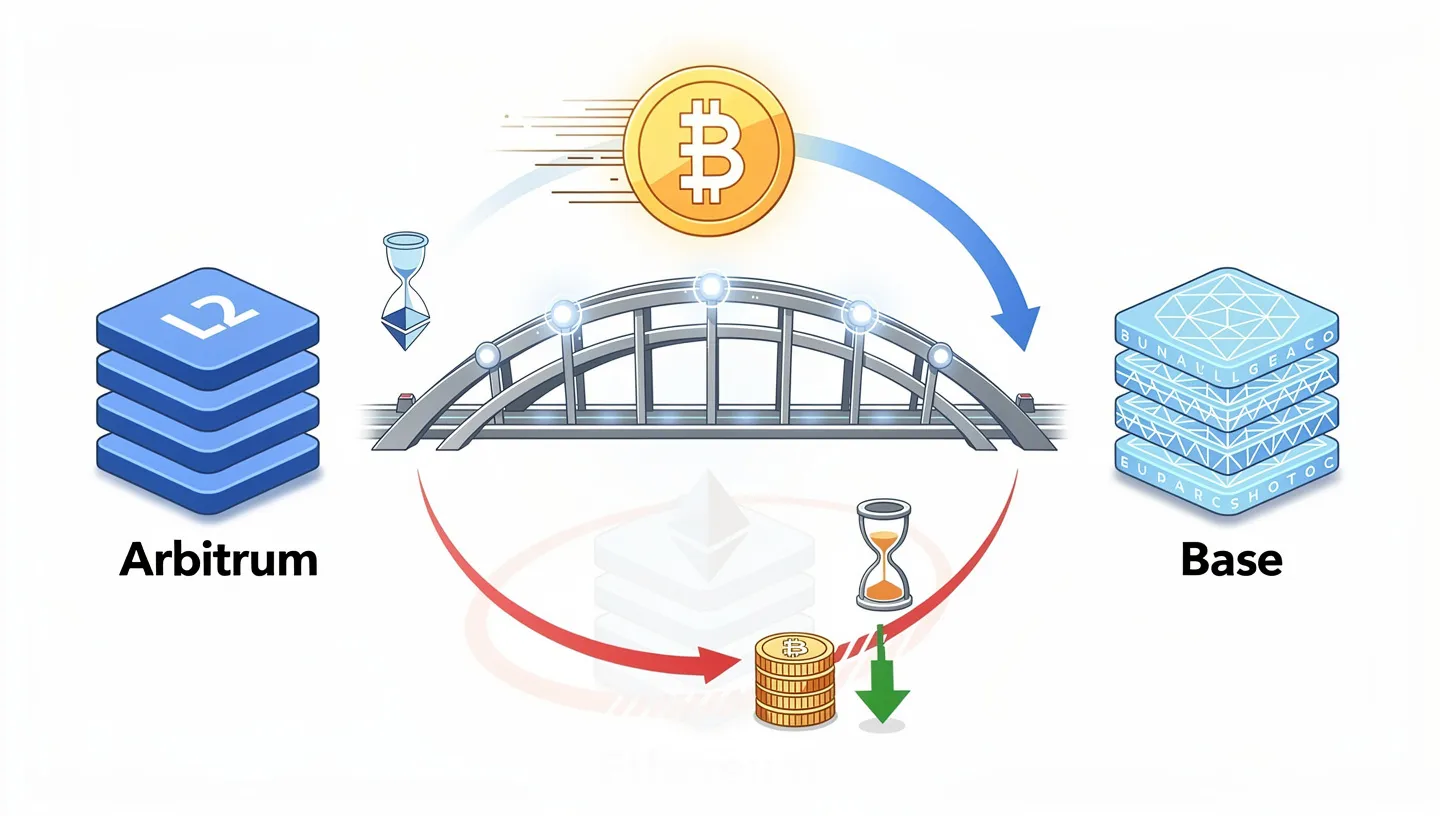
Using Across Protocol, an L2-to-L2 transfer typically takes around 3 seconds. The steps below show bridging ETH from Arbitrum to Base, but the same process works for any combination of supported networks.
- Go to across.to.
- Set From to Arbitrum and To to Base. Select ETH as the token.
- Connect your wallet. Make sure MetaMask is set to the Arbitrum network, not Mainnet. The bridge reads your balance from whichever network your wallet is currently on.
- Enter the amount you want to bridge.
- Review the fee and estimated transfer time, then confirm the transaction in MetaMask.
- Switch MetaMask to Base once the transfer completes and confirm the ETH has arrived.
Note: you pay the gas fee in ETH on the source chain, not on the destination. If you are bridging from Arbitrum, you need ETH on Arbitrum to cover the gas. You do not need any ETH on Base before the transfer. The bridged ETH will be your starting balance there. How ETH functions as the gas token across all EVM networks is explained in the guide on what Ethereum is.
How to withdraw ETH from Layer 2 back to Ethereum
Moving ETH from a Layer 2 back to Ethereum Mainnet is called a withdrawal. There are two ways to do it, and the difference in time and cost is significant.
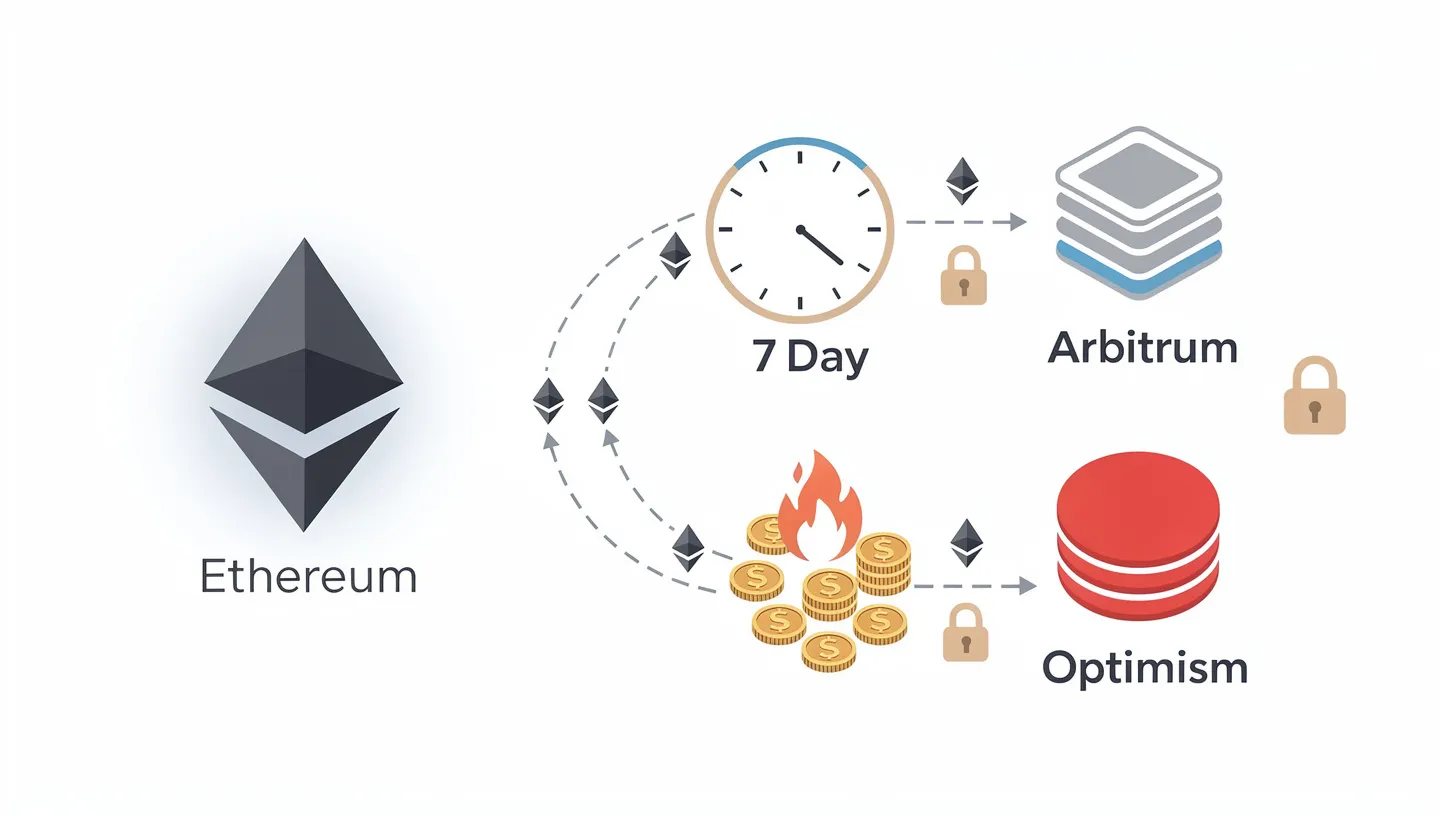
Option 1: native bridge withdrawal (7 days)
Both Arbitrum and Optimism use a 7-day withdrawal period on their native bridges. This challenge period exists because optimistic rollup security relies on the assumption that transactions are valid unless someone proves otherwise within seven days. The network must leave this window open before releasing funds back to Mainnet. To withdraw using the native Arbitrum bridge:
- Go to bridge.arbitrum.io and switch MetaMask to Arbitrum One.
- Click the Withdraw tab.
- Select ETH and enter the amount.
- Click Move funds and confirm in MetaMask.
- Wait seven days.
- Return to the bridge, switch MetaMask to Ethereum Mainnet, and click Claim to receive the funds.
The native withdrawal also requires a second gas fee to claim the ETH on Mainnet, typically $5-15. On Optimism, the native withdrawal through the official bridge has historically cost around $60 including the claim fee, which is one of the main reasons most users choose the third-party route instead.
Option 2: fast withdrawal via Hop Protocol or Across (minutes)
Third-party bridges like Hop Protocol and Across provide fast withdrawals by using liquidity providers who front the ETH on Mainnet immediately, then wait out the seven-day period themselves. You receive your ETH on Mainnet in minutes rather than days, and pay a slightly higher fee for the convenience.
- Go to hop.exchange or across.to.
- Set From to the L2 you are withdrawing from (Arbitrum or Optimism) and To to Ethereum Mainnet.
- Select ETH and enter the amount.
- Review the fee and confirm. For amounts up to approximately $50,000, liquidity is typically available immediately.
For most users, the fast withdrawal via Hop or Across costs $5-20 depending on the amount and network conditions, compared to $60 or more through the native Optimism bridge. If you plan to stake the ETH you withdraw, the guide on how to stake Ethereum covers every method for earning yield on Mainnet ETH.
Bridging mistakes to avoid
Most problems with bridging ETH come from a small number of avoidable errors. The seven below cover the ones users encounter most often.
- Selecting the wrong destination network. The most common mistake. Confirm both the From and To chain selections before clicking Confirm. If you send ETH to the wrong network, you will need to bridge again to reach the intended destination, paying another gas fee.
- Bridging from an exchange account instead of a wallet. Exchanges hold ETH on their own internal systems. Sending from an exchange directly to a bridge interface does not work and can result in stuck or lost funds. Always withdraw from the exchange to MetaMask first, then bridge.
- No ETH on the destination chain after arrival. When you first arrive on a new Layer 2, you have ETH but no transaction history. If you bridge exactly the amount you want to use, you may not have enough left to pay for transactions. Bridge slightly more than you need.
- Not enough ETH for gas on the source chain. The bridge deposit itself costs a gas fee paid from your source chain balance. If you try to bridge your entire ETH balance, the transaction will fail because there is nothing left for gas. Always keep at least 0.005 ETH in reserve.
- Using a deprecated bridge URL or a phishing site. Bridge interfaces are frequently copied by phishing sites. The original Base bridge at bridge.base.org no longer works. Always navigate to bridge URLs directly and bookmark them. Do not click bridge links in search ads or social media messages.
- Confusing token addresses across networks. Your wallet address (0x…) is the same on all EVM networks. Token contract addresses are not. USDC on Arbitrum has a different contract address than USDC on Optimism. Use the bridge interface to handle the correct token rather than copying contract addresses manually. The process of transferring ETH between addresses on the same network is explained in the guide on how to transfer Ethereum.
- Resubmitting a pending transaction. Bridge deposits can take 15-30 minutes. If a transaction shows as pending, wait. Submitting the same transaction again does not speed it up and may result in a duplicate charge. Track progress on Etherscan using your wallet address.
Is it safe to bridge ETH?
Bridging ETH to Arbitrum, Optimism or Base through their official native bridges is considered low-risk within the crypto space. These bridges are operated by the same teams that run the networks, inherit Ethereum security directly, and have been running without major incidents since their respective launches.
Third-party bridges such as Across Protocol and Hop Protocol are non-custodial: your private keys never leave your wallet and the bridge contracts hold funds only in transit. Both protocols have been independently audited multiple times. The main risk with any smart contract is a bug that was not caught in the audit, but this risk is lower for established, heavily used protocols than for new or unaudited ones.
All three Layer 2 networks include an escape hatch mechanism. Even if a Layer 2 sequencer stops operating, users can submit withdrawal transactions directly to Ethereum Mainnet without relying on the L2 at all. Funds on Arbitrum, Optimism or Base are not permanently stuck if the L2 goes offline.
The bridge hacks that made headlines (Ronin, Wormhole, Nomad) were cross-chain bridges connecting entirely separate blockchain network of protocolss, not native Layer 2 bridges of the type covered here. Native L2 bridges route through Ethereum itself and do not rely on external validator sets or multisig arrangements in the same way. The smart contract architecture that underpins both bridging and Layer 2 security is covered in the guide on the Ethereum Virtual Machine.
FAQ
How long does it take to bridge ETH to Layer 2?
Using a native bridge such as the Arbitrum Bridge or Optimism bridge, deposits from Mainnet to Layer 2 take 15-30 minutes. Using a third-party bridge such as Across Protocol, the same deposit takes 18 seconds to 2 minutes. L2-to-L2 transfers on Across typically complete in around 3 seconds. The time depends on Mainnet congestion and which bridge you use.
How much does it cost to bridge ETH?
The deposit fee is made up of the Mainnet gas cost to initiate the bridge transaction, typically $2-10 depending on congestion, plus any bridge-specific fee. Third-party bridges add a relayer fee of roughly $0.50-3. On average, bridging ETH from Mainnet to Arbitrum or Optimism costs $2-8 total. Bridging to Base costs slightly less because it is built on more efficient infrastructure. L2-to-L2 transfers avoid Mainnet gas and cost under $1 in most cases.
Can I bridge ETH directly from an exchange?
No. Bridge interfaces connect to your Web3 wallet, not to an exchange account. To bridge ETH, first withdraw it from the exchange to your MetaMask wallet on Ethereum Mainnet, then use the bridge. Some exchanges such as Coinbase allow direct withdrawals to Base, which bypasses the need to bridge at all for that specific network. If you need to convert bridged ETH back to fiat, the guide on how to sell Ethereum covers the full process from wallet to bank account.
What happens if I bridge to the wrong network?
Your ETH will arrive on the wrong Layer 2 network rather than the intended one. It is not lost. You can bridge it again from the wrong network to the correct destination, or bridge it back to Mainnet and start over. Both options cost additional gas fees. To avoid this, always double-check the From and To chain selections on the bridge interface before confirming.
Why does withdrawing from Layer 2 take 7 days?
Arbitrum and Optimism are optimistic rollups. They assume all transactions are valid and post them to Ethereum without verifying each one individually. The 7-day window exists so that anyone who spots a fraudulent transaction has time to submit a fraud proof and challenge it. Once the window closes with no challenge, the withdrawal is finalised on Mainnet. Third-party bridges like Hop Protocol bypass this wait by using liquidity providers who complete the exit immediately.
What is the fastest way to bridge ETH?
Across Protocol is the fastest option for bridging ETH from Mainnet to Layer 2, completing most transfers in around 18 seconds. For L2-to-L2 transfers, Across completes in approximately 3 seconds. Hop Protocol is also fast for withdrawals back to Mainnet. Both are non-custodial and audited. Speed comes at the cost of a slightly higher fee compared to native bridges, but for most amounts the difference is under $2. The original decision to design Ethereum as a settlement layer that L2 networks could build on is explained in the guide on who created Ethereum.
Do I need ETH on the destination chain to start using it?
No. You do not need any ETH on a Layer 2 before bridging to it. The ETH you bridge becomes your starting balance on that network and is used to pay gas fees for subsequent transactions. This is why it is important not to bridge your exact intended amount. Bridge slightly more so you have enough ETH left to pay for the transactions you want to make.
Is MetaMask the only wallet I can use for bridging?
No. Any EVM-compatible Web3 wallet works with the bridges covered in this guide. Coinbase Wallet, Rainbow and WalletConnect-compatible wallets all support Arbitrum, Optimism and Base. MetaMask is the most widely tested option and the one most bridge interfaces list first, but it is not the only choice. All wallets use the same wallet address format and the same network settings covered in this guide.