Both wallets are free, both are non-custodial, and both give you access to DeFi and NFT markets. On paper, MetaMask vs Coinbase Wallet looks like a close race. In practice, they are built for completely different types of users, and picking the wrong one will slow you down every single day.
MetaMask has over 30 million monthly active users and has been the default gateway to Ethereum since 2016. Coinbase Wallet has 15 million monthly active users and was built from day one to handle Bitcoin, Solana, and Dogecoin alongside ETH. One is a power tool for the Ethereum ecosystem. The other is a clean, all-in-one app that just works across chains.
This guide breaks down every meaningful difference between the two – blockchain support, fees, security, DeFi compatibility, and ease of use – so you can pick the one that fits how you actually use crypto.
MetaMask vs Coinbase Wallet: Quick Comparison
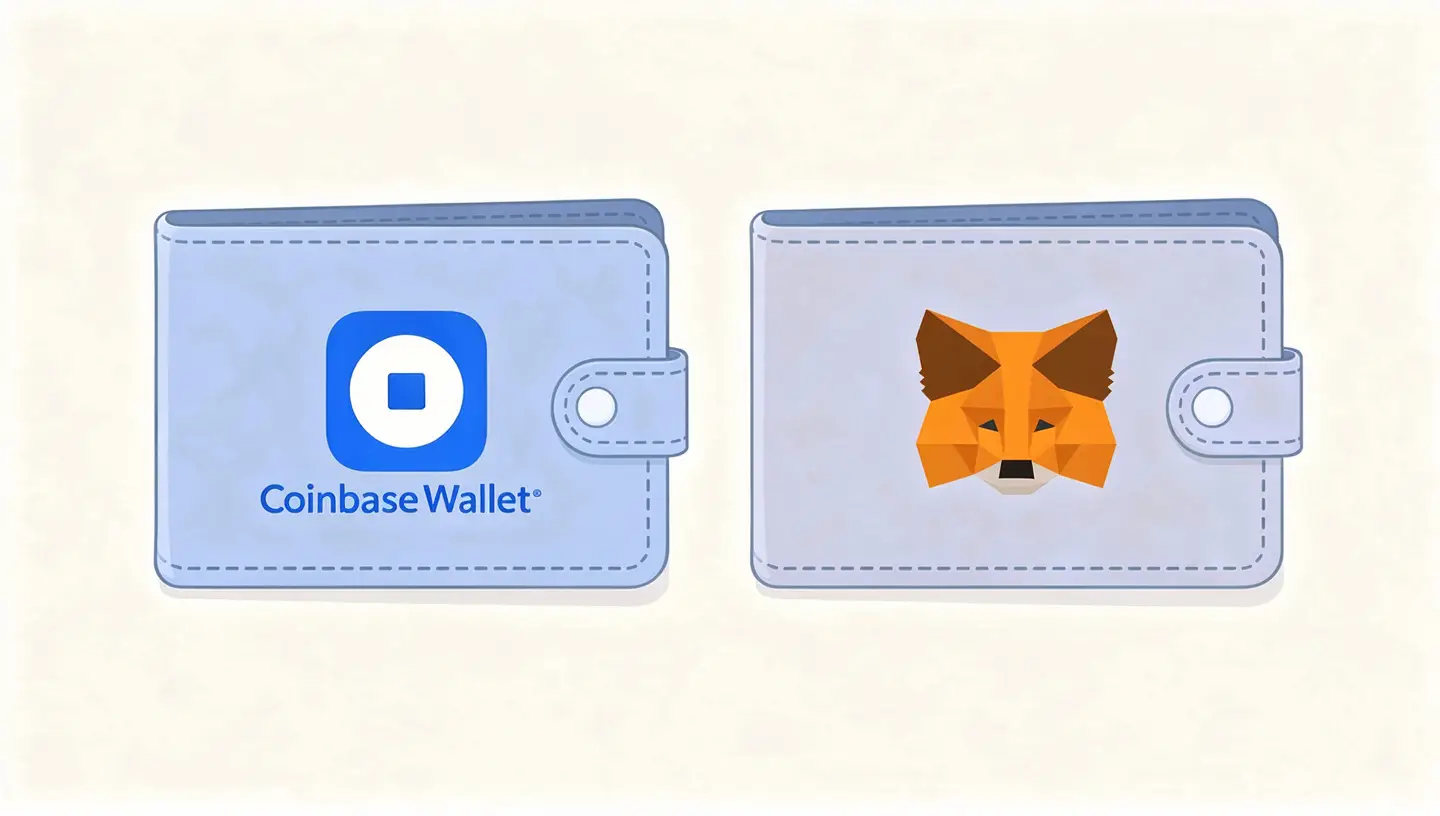
Before getting into the details, here is a side-by-side look at the core features that separate these two wallets.
| Feature | MetaMask | Coinbase Wallet |
|---|---|---|
| Best for | DeFi power users, developers | Beginners, multi-chain traders |
| Blockchain support | Ethereum + all EVM chains | ETH, BTC, Solana, Dogecoin + more |
| Swap fee | 0.875% flat | 0.05% to 0.60% tiered |
| Open-source | Yes | No |
| Hardware wallet | Ledger, Trezor (native) | Via WalletConnect |
| Seed phrase backup | Manual only | Manual + encrypted cloud backup |
| Non-custodial | Yes | Yes |
| Monthly active users | 30 million | 15 million |
| dApp compatibility | 17,000+ dApps natively | Good, with Coinbase ecosystem focus |
| No KYC required | Yes | Yes (wallet only) |
What Is MetaMask and Who Built It
MetaMask was created by ConsenSys and launched in 2016 as a browser extension that let anyone interact with the Ethereum blockchain without running a full node. What started as a simple plug-and-play wallet has grown into one of the most widely used self-custody wallets in crypto, with native support for dozens of EVM-compatible networks and a mobile app for Android and iOS.
MetaMask is fully open-source, which means its entire codebase is publicly available for anyone to inspect, audit, and build on. This matters to a lot of crypto users who treat code transparency as a basic requirement rather than a feature.
For a full breakdown of the blockchain MetaMask runs on, see our guide on what is Ethereum.
How MetaMask works – private keys, networks, and browser access
MetaMask stores your private keys locally on your device, encrypted by the password you set during setup. The keys never leave your device. Every transaction you sign happens locally before anything is broadcast to the blockchain.
The wallet connects to Ethereum and all EVM-compatible networks – Polygon, Arbitrum, Optimism, Base, Avalanche, BNB Smart Chain – either automatically or by adding them manually through a custom RPC endpoint. It automatically detects ERC-20 tokens and ERC-721 NFTs in your wallet without you needing to import them one by one.
Through MetaMask Snaps – a third-party plugin system introduced in recent years – the wallet can now also interact with non-EVM chains, though that experience works differently from its native Ethereum support.
Who MetaMask is built for
MetaMask is the right tool for active DeFi users, Ethereum developers, NFT traders, and anyone who needs granular control over gas settings and network parameters. If you spend meaningful time interacting with smart contracts, testing protocols, or moving across EVM chains daily, MetaMask is the wallet the rest of the industry is built around.
It is not built for users who want a simple mobile-first experience or who hold assets across Bitcoin, Solana, and other non-EVM chains. For those users, the friction adds up quickly.
What Is Coinbase Wallet and How It Differs from the Exchange
Coinbase Wallet is a self-custody wallet created by Coinbase. It is a completely separate product from the Coinbase exchange, and the distinction matters more than most users realize before they encounter a problem.
Coinbase Wallet vs Coinbase exchange – the key distinction
On the Coinbase exchange, your crypto is held by Coinbase. They control the private keys. If Coinbase freezes your account, you cannot access your funds. That is a custodial arrangement.
In Coinbase Wallet, you hold the private keys yourself. Coinbase has no access to your funds. The wallet uses client-side encryption – your private key is encrypted on your device and Coinbase cannot decrypt it without your password. You can have Coinbase Wallet without ever creating a Coinbase exchange account, and the two can operate entirely independently of each other.
This is the same non-custodial model that MetaMask uses. The difference is in what Coinbase Wallet does on top of that foundation.
Who Coinbase Wallet is built for
Coinbase Wallet is built for beginners who want a clean onboarding experience, users who already hold crypto on the Coinbase exchange and want a natural next step into self-custody, and anyone who holds assets across multiple blockchains – including Bitcoin and Solana – and does not want to manage separate wallets for each chain.
The mobile app is where it works best. The interface hides most of the technical complexity and makes swapping tokens, checking NFTs, and connecting to dApps feel straightforward without requiring the user to understand what is happening underneath.
Blockchain and Network Support
This is where the two wallets split most clearly. The difference in approach to multi-chain support shapes every other part of the user experience.
MetaMask – Ethereum and EVM chains
MetaMask was born and raised in the Ethereum ecosystem. It connects natively to Ethereum and every EVM-compatible network – Polygon, Arbitrum, Optimism, Base, Avalanche, BNB Smart Chain, and dozens more. As of 2026, it natively integrates with over 30 major networks and allows unlimited custom additions through RPC endpoints.
This makes MetaMask an excellent tool for anyone whose strategy stays within the EVM world. Every major DeFi protocol on these chains is built with MetaMask integration in mind. You will rarely encounter a dApp on an EVM chain that does not work with it.
To understand how the Ethereum Virtual Machine handles all of this under the hood, see our guide on the Ethereum Virtual Machine.
MetaMask Snaps – how non-EVM support actually works
MetaMask Snaps is an open plugin system that lets third-party developers extend the wallet’s capabilities beyond EVM chains. Through Snaps, MetaMask can now interact with Bitcoin, Solana, and other non-EVM blockchains.
The experience, however, is not the same as native support. To use a Snap for a non-EVM chain, you have to find the right plugin, install it separately, and then interact with that chain inside the Snap’s own interface rather than MetaMask’s main wallet view. It works, but it adds steps and introduces another layer of third-party software to trust. For users who need to move between EVM and non-EVM chains regularly, those extra clicks matter.
Coinbase Wallet – native multi-chain out of the box
Coinbase Wallet was built from the start as a native multi-chain wallet. It supports Ethereum and all major EVM networks, but also has built-in, out-of-the-box support for Bitcoin, Solana, Dogecoin, and Litecoin. No plugins, no custom RPC setup, no extra steps.
You open the app and your BTC address is already there alongside your ETH address. You can manage assets across completely different blockchain architectures from the same clean dashboard. For users tracking opportunities across both EVM and non-EVM chains, this native integration is a real advantage in speed.
Which wallet wins on network support
For EVM-only users, MetaMask is the stronger tool. Its depth of integration across Ethereum and EVM chains is unmatched. For users who need Bitcoin, Solana, or Dogecoin alongside ETH in one place without extra setup, Coinbase Wallet wins on coverage and convenience. This is not a close call if you regularly move across both types of chains.
User Experience and Ease of Use
Both wallets score well for usability, but they define usability differently. MetaMask gives you control. Coinbase Wallet removes friction.
MetaMask interface – function over simplicity
MetaMask’s browser extension is built around function, not aesthetics. The interface packs in a lot of information – network selection, gas fee controls, token lists, activity history – and expects the user to know what to do with it. Advanced users can manually set the gas limit and priority fee for every transaction, which matters when network congestion is high and you need your transaction processed fast.
This level of control is exactly what experienced DeFi traders need. It is also exactly what overwhelms newcomers. The learning curve is real, and MetaMask does not do much to flatten it.
Coinbase Wallet interface – built for everyone
Coinbase Wallet’s interface is designed to hide the technical parts of crypto. Gas fee estimates are automated. Network switching happens in the background. The portfolio view shows all your assets across multiple chains in one clean list without requiring you to switch network views manually.
If you already use the Coinbase exchange, moving assets between the exchange and the wallet feels like an internal transfer rather than a blockchain transaction. That tight integration removes one of the biggest friction points for new users entering self-custody.
Mobile experience – which one runs smoother
On mobile, Coinbase Wallet runs more smoothly for most users. The app is designed around the mobile experience first, with a single dashboard that manages assets across multiple blockchains including Bitcoin and Solana without manual network configuration.
MetaMask’s mobile app works and has improved significantly, but it remains better suited to desktop and browser use. Users who primarily manage crypto from a phone will find Coinbase Wallet faster and less frustrating on a daily basis.
Which wallet is better for beginners
Coinbase Wallet is the cleaner starting point. Neither wallet requires KYC to set up and use – you download the app, create a wallet, secure your seed phrase, and you are done. But Coinbase Wallet’s automated gas estimates, guided onboarding, and familiar Coinbase branding lower the barrier considerably for users who are new to self-custody. MetaMask is a better fit for beginners who are specifically diving into Ethereum DeFi and are willing to spend time on the learning curve.
Security – How Each Wallet Protects Your Funds
Both MetaMask and Coinbase Wallet are non-custodial hot wallets. They are always connected to the internet, which means they carry inherent online risk that no software wallet fully eliminates. The difference is in how each wallet helps you manage that risk.
Seed phrase and recovery – where the two wallets split
Both wallets generate a 12-word secret recovery phrase when you create a new wallet. This phrase is the master key to your funds. Anyone who has it can access your crypto from any device. Losing it means losing your funds permanently – no support team can recover it for you.
Where the wallets split is in what they offer beyond that bare minimum for protecting and recovering the phrase.
Coinbase Wallet security model – cloud backup and biometrics
Coinbase Wallet offers an optional encrypted cloud backup of your private keys to Google Drive or iCloud. The backup is encrypted with a password that only you know – neither Coinbase nor your cloud provider can access your funds through it. If you lose your phone and do not have your seed phrase written down, you can restore your wallet using the cloud backup and your password.
The wallet also uses biometric authentication – Face ID or fingerprint – to approve transactions on mobile. This adds a quick and practical layer of on-device protection for daily use.
The trade-off is real: your cloud account security now becomes part of your wallet security. If someone compromises your Google or iCloud account and knows your backup password, your funds are at risk. For users who are already careful with their cloud account security, this is a reasonable trade for a meaningful reduction in the risk of losing funds due to a lost seed phrase.
MetaMask security model – open-source and hardware wallet support
MetaMask’s security philosophy is straightforward: give the user the keys and trust them to keep those keys safe. There is no cloud backup option. There is no automated recovery. Your seed phrase is generated, shown to you once, and after that it is entirely your responsibility.
What MetaMask offers instead is two things: full open-source code that any developer in the world can inspect for vulnerabilities, and native integration with Ledger and Trezor hardware wallets. The hardware wallet integration is the most significant security upgrade available to any hot wallet user. With a Ledger or Trezor connected, your private keys never leave the physical device. Every transaction requires physical confirmation on the hardware itself, making you effectively immune to remote attacks and malware even if your computer is compromised.
MetaMask also provides transaction previews that flag potential phishing attempts and malicious smart contract requests before you sign anything.
| Security scenario | MetaMask | Coinbase Wallet |
|---|---|---|
| Lost phone | Need your written seed phrase. No phrase means no recovery. | Restore from encrypted cloud backup using your password. |
| Phishing attack | With hardware wallet, funds safe even on a compromised PC. | Vulnerable if tricked into sharing password or seed phrase. |
| Malware on device | Hardware wallet integration keeps keys off the device. | Keys on device; biometrics add friction but not full protection. |
| Cloud account hacked | No cloud exposure. No risk here. | Risk if attacker also knows your backup password. |
Which wallet is safer
MetaMask with a hardware wallet connected is the most secure hot wallet setup available. If you hold significant amounts of ETH and are comfortable managing your own seed phrase storage, that combination is hard to beat. Coinbase Wallet is safer for users who are more likely to lose a piece of paper than to have their cloud account compromised – and that describes most everyday users accurately.
For long-term storage of meaningful amounts, neither hot wallet is a substitute for cold storage. Our guide on how to stake Ethereum covers how to keep your ETH productive while keeping it secure.
Fees – Swap Costs, Gas, and What You Actually Pay
Transaction costs hit your returns directly. The difference in fee structure between these two wallets is more significant than most comparisons acknowledge.
MetaMask swap fee – the 0.875% flat rate
MetaMask charges a flat 0.875% service fee on every token swap made through its built-in swap aggregator. This fee is automatically factored into the quote you see before confirming. On top of that, you pay the network’s gas fees for the transaction itself, which vary based on Ethereum mainnet congestion or Layer 2 costs.
The swap aggregator does pull quotes from multiple DEXs to find competitive rates, but the 0.875% service fee makes MetaMask swaps more expensive than using a DEX directly. Experienced users who want lower costs often connect MetaMask directly to Uniswap or another DEX and bypass the built-in swap entirely.
Where MetaMask earns its keep on fees is in gas control. You can manually set a higher priority fee during high congestion to get your transaction confirmed faster – the kind of control that can mean the difference between a swap going through or failing at a critical moment.
Coinbase Wallet swap fee – tiered pricing
Coinbase Wallet uses a tiered fee model that ranges from 0.05% to 0.60% depending on the token and network. For most common swaps, this comes out cheaper than MetaMask’s flat rate. Coinbase Wallet also has a more streamlined fiat on-ramp for users who want to buy crypto directly with a bank account or card, which integrates naturally with the Coinbase exchange connection.
Gas fee estimates are automated in Coinbase Wallet. You do not get the same manual override capability that MetaMask provides, which is a real limitation during peak network congestion when automated estimates sometimes lag behind what is actually needed for fast confirmation.
Gas fees – who gives you more control
MetaMask gives you full manual control over gas limit and priority fee. Coinbase Wallet automates this for simplicity. For users who do not want to think about gas, Coinbase Wallet’s approach is fine on Layer 2 networks where fees are low and congestion is rarely a problem. On Ethereum mainnet during busy periods, MetaMask’s manual gas controls are a genuine advantage.
To understand how gas fees work and why they fluctuate, see our breakdown of Ethereum gas fees.
Which wallet costs less to use
For regular token swaps, Coinbase Wallet is cheaper on average. The tiered fee structure beats MetaMask’s flat 0.875% for most swap sizes. For users who route swaps directly through DEX interfaces rather than using the wallet’s built-in swap, both wallets carry the same network gas costs and the in-wallet swap fee becomes irrelevant.
DeFi and dApp Compatibility
This is the category where MetaMask’s lead is most clear and most consistent.
MetaMask and DeFi – the industry standard
MetaMask connects to over 17,000 decentralized applications across EVM-compatible chains. Uniswap, Aave, Compound, Curve, Lido, OpenSea, Blur, Rarible – every major DeFi protocol and NFT marketplace on Ethereum and its Layer 2 networks is built with MetaMask compatibility as a baseline requirement. When a new protocol launches, MetaMask support is assumed from day one.
The browser extension model is what makes this work so well. Visiting a dApp in Chrome or Brave with MetaMask installed means the wallet is already there, ready to connect with one click. No QR code scanning, no manual WalletConnect sessions.
For a deeper look at how smart contracts power all of this, our guide on what are smart contracts explains the mechanics.
Coinbase Wallet and DeFi – what it supports and where it falls short
Coinbase Wallet supports DeFi through a built-in dApp browser and WalletConnect integration. It works with major protocols on Ethereum and has strong native support for Base, Coinbase’s own Layer 2 network. Moving assets between the Coinbase exchange and Base through Coinbase Wallet is particularly smooth.
Where Coinbase Wallet falls short is in the breadth of dApp compatibility compared to MetaMask, and in the desktop browser experience. The extension exists, but the wallet was designed around mobile first. Some DeFi protocols that work seamlessly with MetaMask’s browser extension require extra steps with Coinbase Wallet.
If your DeFi activity is primarily on Base or involves protocols that have specific Coinbase Wallet support, the gap closes considerably. If you are working across a wide range of Ethereum protocols from a desktop browser, MetaMask is the more reliable tool.
NFT support – marketplaces, display, and management
Both wallets support NFT viewing and management. MetaMask connects directly to OpenSea, Blur, and Rarible and is the default wallet for most Ethereum-based NFT activity. Its browser extension makes connecting to any NFT marketplace a one-click process.
Coinbase Wallet has a built-in NFT gallery in the mobile app that displays collectibles visually in a clean interface. It also connects to Coinbase NFT Marketplace and other platforms. For users whose NFTs are on Solana or BNB Smart Chain, Coinbase Wallet handles those natively in the same interface. MetaMask would require a Snap for Solana NFTs, adding friction.
Which wallet is better for DeFi
MetaMask is the better DeFi wallet, and it is not particularly close. The combination of 17,000+ dApp integrations, native browser extension access, and full gas control makes it the standard for active DeFi use. Coinbase Wallet is a capable DeFi wallet for Base and mainstream Ethereum protocols, but it does not match MetaMask’s depth across the full range of DeFi activity.
Supported Cryptocurrencies and Token Range
MetaMask token support – ETH, ERC-20, and EVM assets
MetaMask automatically detects and displays ERC-20 tokens, ERC-721 NFTs, and ERC-1155 tokens on all connected EVM networks. Less common tokens can be imported manually using their contract address. The wallet is built around the Ethereum token standard, so anything that follows those standards works without any extra configuration.
Outside of EVM assets, MetaMask requires Snaps for Bitcoin, Solana, and other non-EVM tokens. The experience is functional but not as seamless as native support.
Coinbase Wallet token support – Bitcoin, Solana, and beyond
Coinbase Wallet natively supports Bitcoin, Ethereum and all ERC-20 tokens, Solana and SPL tokens, Dogecoin, Litecoin, and XRP alongside the full range of EVM-compatible assets. All of these appear in the same portfolio view without switching modes or installing anything extra.
For users holding a diversified portfolio that goes beyond the EVM world, Coinbase Wallet’s token support is meaningfully broader without any additional setup. If you hold BTC, ETH, and SOL and want to manage all three from one app, Coinbase Wallet is the straightforward choice.
MetaMask vs Coinbase Wallet for Specific Use Cases
The right wallet depends entirely on what you are doing with crypto. Here is how the two options stack up for the most common situations.
Best for active DeFi trading
MetaMask is the answer here without much debate. Manual gas controls, direct browser extension access to 17,000+ dApps, and deep integration with every major DeFi protocol on Ethereum and its Layer 2 networks make it the tool that active DeFi traders rely on. When network congestion spikes and you need to outbid other transactions to get your swap through, MetaMask’s gas override is what you want in your hands.
To get the most out of MetaMask for DeFi on Layer 2, see our guide on how to bridge ETH to Layer 2.
Best for beginners buying crypto for the first time
Coinbase Wallet is the better starting point. The guided setup, automated gas estimates, clean mobile interface, and optional cloud backup for the seed phrase all reduce the number of ways a newcomer can make an irreversible mistake. Neither wallet requires KYC, so you can get started immediately without submitting personal documents. If you are already on the Coinbase exchange, Coinbase Wallet makes the transition to self-custody feel natural rather than technical.
For a step-by-step walkthrough of buying ETH for the first time, see our guide on how to buy Ethereum.
Best for holding Bitcoin and non-EVM assets
If your portfolio includes Bitcoin, Solana, Dogecoin, or other non-EVM assets alongside ETH, Coinbase Wallet is the practical choice. Managing BTC in MetaMask requires installing and trusting a third-party Snap, which adds steps and complexity. In Coinbase Wallet, your Bitcoin address is native and ready from the moment you set up the wallet.
Best for developers and Web3 builders
MetaMask is the standard development tool for Ethereum and EVM chains. It supports custom RPC endpoints for connecting to testnets, local development environments, and custom networks. The vast majority of Web3 development tutorials, SDKs, and toolkits assume MetaMask as the wallet in use. If you are building on Ethereum, there is no practical reason to use anything else as your primary development wallet.
Understanding how Ethereum works at the protocol level will help you get more out of MetaMask as a development tool.
Best for NFT collectors
For Ethereum-based NFTs, MetaMask is the stronger option. OpenSea, Blur, and Rarible all treat it as the primary wallet, and the browser extension makes listing, bidding, and transferring NFTs a smooth process. For collectors who hold NFTs on both Ethereum and Solana, Coinbase Wallet’s native multi-chain support makes it easier to manage everything in one place without needing a separate Phantom wallet for Solana.
The Verdict – MetaMask or Coinbase Wallet in 2026
These two wallets are not really competing for the same user, which is why comparing them as if one must be objectively better misses the point.
MetaMask is the right wallet if you spend serious time in DeFi, work with Ethereum protocols daily, need full gas control, or are building on EVM chains. Its dApp compatibility, open-source codebase, and hardware wallet integration make it the most capable Ethereum wallet available. The learning curve is steep and the interface is dense, but for the user it is built for, those are not problems.
Coinbase Wallet is the right wallet if you want a clean, mobile-first experience, hold assets across Bitcoin, Solana, and Ethereum, are new to self-custody, or want the safety net of an encrypted cloud backup for your seed phrase. It covers the majority of what most crypto users actually do – buy, hold, send, and occasionally swap – without requiring them to learn gas mechanics or EVM architecture.
The most practical setup for many users is both: Coinbase Wallet on mobile for everyday use and multi-chain asset management, and MetaMask in the browser for DeFi sessions that need full control. They are not mutually exclusive, and running both costs nothing.
Frequently Asked Questions
Is MetaMask better than Coinbase Wallet?
For DeFi and Ethereum development, MetaMask is the stronger tool. It connects to more dApps, gives you full manual gas control, and has deeper EVM chain support. For beginners, mobile users, and anyone holding Bitcoin or Solana alongside ETH, Coinbase Wallet is the better fit. Neither is universally better – the right answer depends on what you are actually doing.
Which wallet is safer – MetaMask or Coinbase Wallet?
MetaMask paired with a Ledger or Trezor hardware wallet is the most secure setup available for a hot wallet. With a hardware wallet connected, your private keys never touch an internet-connected device. Coinbase Wallet is safer for users who are more likely to lose a written seed phrase than to have their cloud account compromised – its encrypted cloud backup reduces that specific risk. Neither wallet is a substitute for cold storage if you are holding significant amounts long-term.
Can I use both MetaMask and Coinbase Wallet at the same time?
Yes. Many users run both. A common setup is MetaMask in the browser for DeFi protocols and Coinbase Wallet on mobile for everyday transactions and multi-chain asset management. They operate independently, each with their own seed phrase and private keys. You can transfer assets between wallets the same way you would send crypto to any external address.
Does MetaMask support Bitcoin?
Not natively. MetaMask is built for Ethereum and EVM-compatible chains. Bitcoin support is available through MetaMask Snaps – a third-party plugin system – but it requires installing a separate plugin and works differently from the native Ethereum experience. If you regularly use Bitcoin, Coinbase Wallet’s native BTC support is more convenient.
Is Coinbase Wallet good for DeFi?
Coinbase Wallet supports DeFi through its built-in dApp browser and is particularly strong on Base, Coinbase’s Layer 2 network. It works with major protocols on Ethereum. Where it falls short compared to MetaMask is in the breadth of dApp compatibility, desktop browser experience, and manual gas controls during high-congestion periods. It is a capable DeFi wallet for mainstream protocols, but not the go-to tool for active DeFi traders.
What is the swap fee for MetaMask vs Coinbase Wallet?
MetaMask charges a flat 0.875% service fee on swaps made through its built-in swap aggregator. Coinbase Wallet uses a tiered fee model ranging from 0.05% to 0.60% depending on the token and network. For most swap sizes, Coinbase Wallet’s fee structure comes out cheaper. Both wallets charge standard network gas fees on top of any service fee, and both let you bypass in-wallet swaps entirely by connecting directly to a DEX like Uniswap.
Which wallet is better for beginners in 2026?
Coinbase Wallet is the better starting point for most beginners. The onboarding is guided, gas fees are automated, the mobile interface is clean, and the optional cloud backup for the seed phrase reduces the risk of a catastrophic early mistake. MetaMask is a good choice for beginners who are specifically entering Ethereum DeFi and are ready to spend time on the learning curve. For a complete walkthrough of getting your first wallet set up, see our guide on how to set up MetaMask.
Is Coinbase Wallet non-custodial?
Yes. Coinbase Wallet is a fully non-custodial wallet. You hold your own private keys and Coinbase has no access to your funds. This is different from keeping crypto on the Coinbase exchange, where Coinbase holds the keys on your behalf. The optional cloud backup of your seed phrase is encrypted with a password only you know – Coinbase cannot decrypt it without it. That means the cloud backup reduces the risk of losing your funds due to a lost seed phrase without handing control over to a third party. Your keys remain yours regardless of whether you use the backup feature or not. For a full breakdown of how ETH moves between wallets and exchanges, see our guide on how to transfer Ethereum.