Crypto scams drained an estimated seventeen billion dollars from users in 2025. The February 2026 Bybit hack saw one and a half billion dollars in Ethereum disappear from a cold wallet that was supposed to be one of the safest storage setups in the industry. If institutions with dedicated security teams can get hit, individual holders face a wider attack surface than most people want to admit. The question is not whether someone will try to take your ETH. The question is whether your setup will hold when it happens.
Keeping Ethereum safe is not about becoming a security expert. It is about a handful of habits that close the doors attackers walk through most often. Most losses come from phishing, poorly stored seed phrases, bad wallet choices, and one careless signature – not from breaking blockchain encryption. The blockchain itself has never been the weak point. Private keys and the people holding them are. This guide covers what you actually need to do, in order of importance, with nothing skipped and nothing padded.
Why Ethereum Is a Target – and Why Most Losses Are Avoidable
Ethereum sits at the center of DeFi, NFTs, stablecoins, and token launches. That concentration of value on one network makes it the most targeted chain for thieves. Bitcoin holders mostly hold and wait. Ethereum holders connect wallets to dApps, sign transactions, claim airdrops, and interact with smart contracts daily. Every interaction is a potential opening.
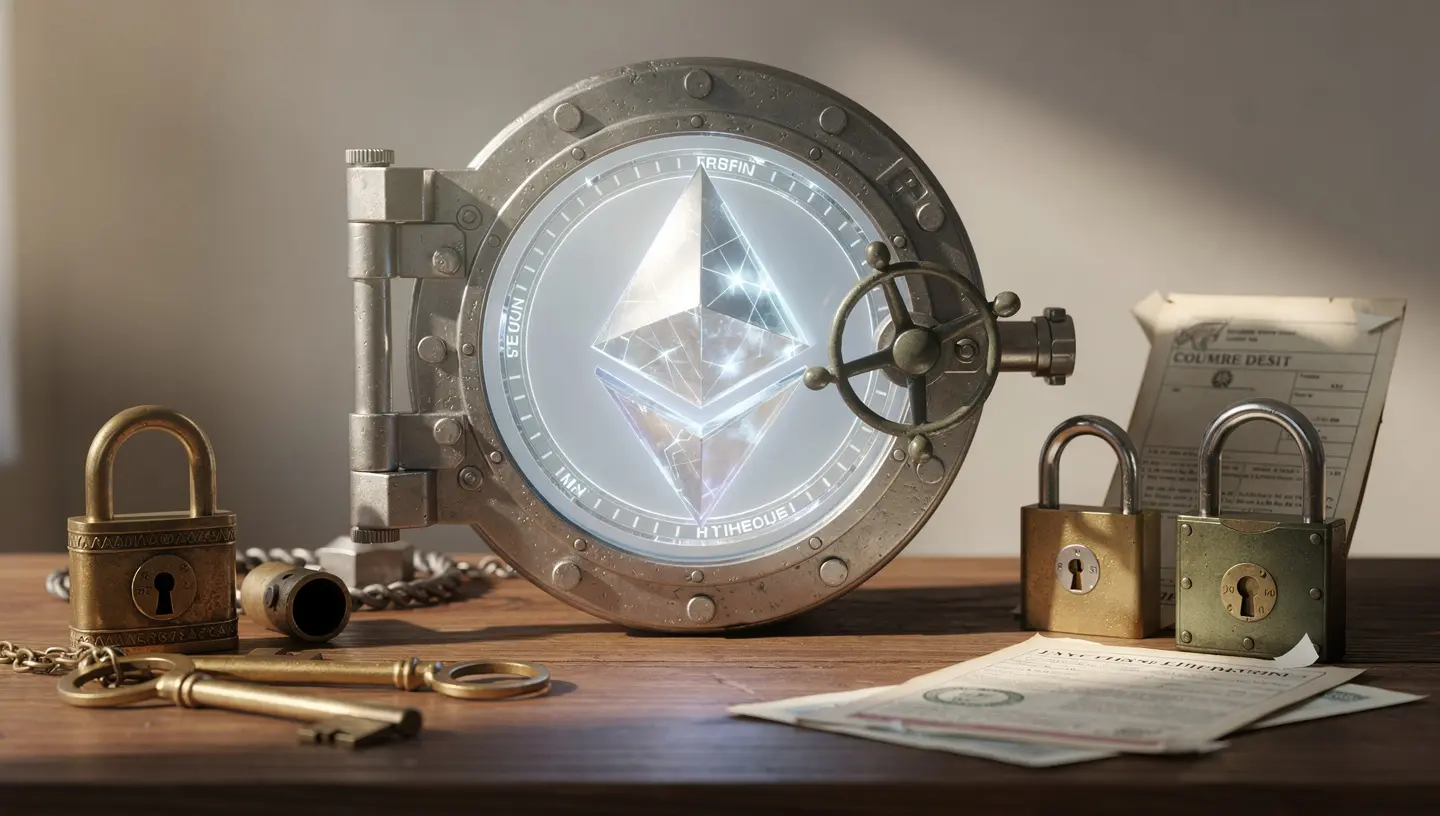
The good news is that the vast majority of thefts are preventable. Blockchain forensics firms consistently find that user error, phishing, and social engineering account for far more losses than protocol exploits. Nobody broke Ethereum to steal your ETH. They convinced you to hand it over, or they found it in a place you thought was safe.
What actually gets stolen – your keys, not your coins
Ethereum does not sit inside a wallet the way cash sits inside a safe. What a wallet stores is your private key – the cryptographic proof that you control a specific address on the blockchain. Whoever holds the private key controls everything at that address. There is no password reset. There is no customer support line. There is no dispute process. If someone gets your key, they own your funds, and there is no mechanism anywhere in the protocol to reverse it.
This is where the phrase “not your keys, not your coins” comes from. It is not a slogan. It is a precise description of how Ethereum works at the protocol level. If an exchange holds your ETH and goes bankrupt, you are an unsecured creditor. If a hardware wallet holds your private key and you keep your seed phrase safe, nobody can touch your funds without physical access to both the device and the PIN.
Where most Ethereum losses actually come from
Understanding what you are actually defending against helps you prioritize. The main categories, roughly in order of how often they hit everyday holders:
- Phishing attacks – fake websites, fake wallet apps, fake browser extensions, and emails that look like they come from Ledger, MetaMask, or Coinbase. The goal is always the same: get you to enter your seed phrase or sign a malicious transaction.
- Social engineering – impersonation scams, fake customer support on Discord and Telegram, and increasingly, AI-generated personalized messages that reference your actual holdings or recent transactions pulled from on-chain data.
- Malware and keyloggers – software that records what you type or takes screenshots, often hidden in fake wallet downloads, browser extensions, or cracked software.
- Exchange failures – platforms that get hacked, freeze withdrawals, or collapse. When the exchange holds your keys, their problems become your problems.
- User error – seed phrases stored in cloud notes, screenshots in phone galleries, or written on paper in one location that burns down. These mistakes cannot be fixed after the fact.
Hot Wallets vs Cold Wallets: Where Should Your ETH Actually Sit?
The terms “hot” and “cold” come from data security and describe one thing: whether the storage can connect to the internet. Hot storage can. Cold storage cannot. That single difference drives most of the security gap between the two.
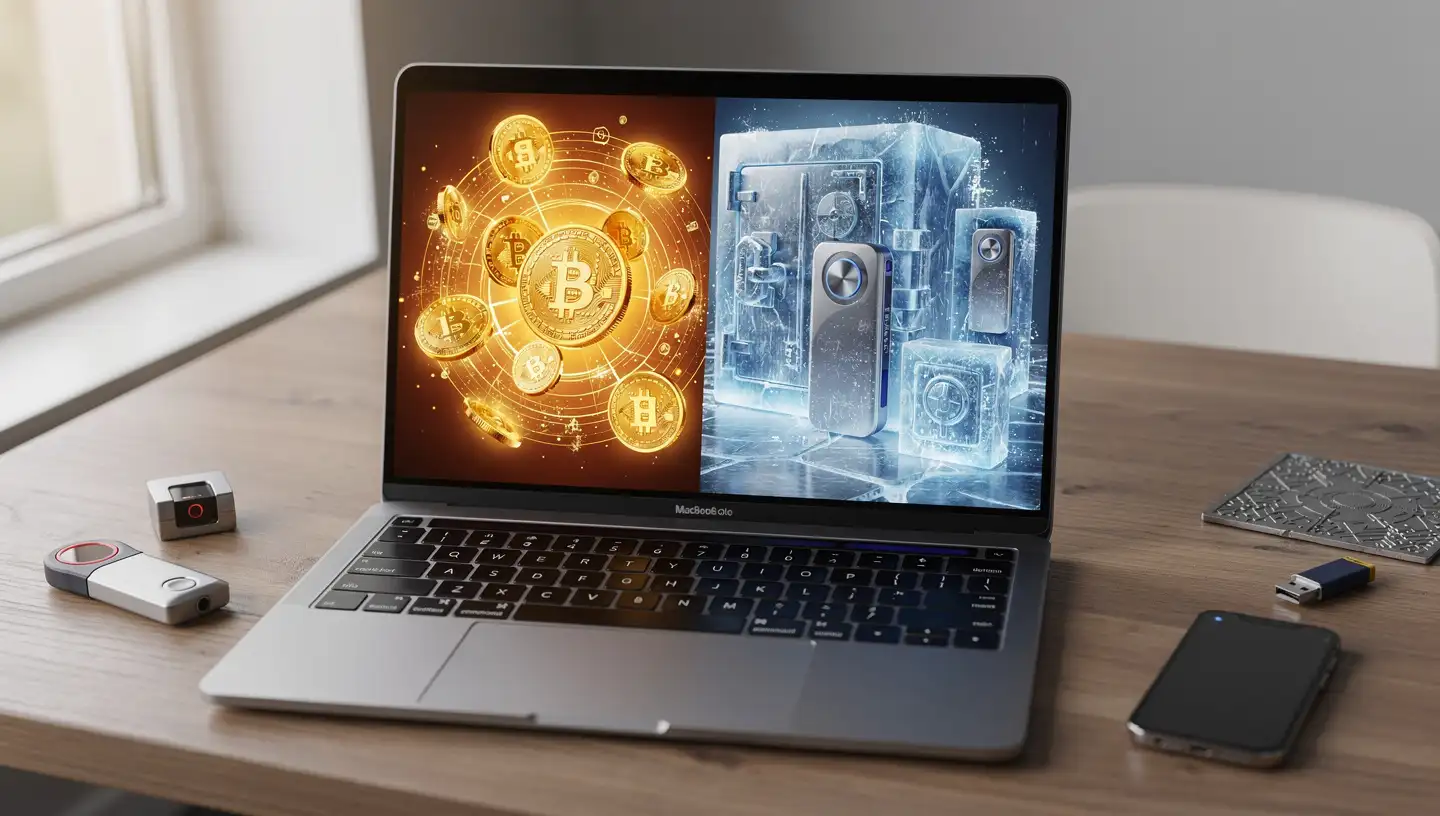
Hot wallets – useful for small amounts, not for savings
Hot wallets are software wallets – MetaMask, Coinbase Wallet, Rainbow, Trust Wallet. They live on your phone or browser, always connected, always ready. For small amounts you need regular access to, they are fine. For anything you would not be comfortable losing, they are not the right tool. A hot wallet on an internet-connected device is exposed to every phishing site you visit, every malicious extension you install, and every piece of malware on your machine. The convenience is real. So is the exposure.
A practical rule: keep in a hot wallet only what you would carry as cash in a physical wallet. Enough for daily use, not your savings.
Cold wallets – the standard for anything you are not comfortable losing
Cold wallets keep your private key on a device that never connects to the internet on its own. Hardware wallets – Ledger, Trezor, OneKey – are the most common form. When you want to sign a transaction, you connect the device, approve it physically on the device screen, then disconnect. The key never touches your computer. Malware on your machine cannot reach it. A remote attacker has nothing to grab.
Hardware wallets cost between $49 and $150 for models that handle Ethereum well. That is a one-time cost to protect whatever you hold. For anyone holding more than a few hundred dollars in ETH, the math is straightforward. If you want to buy Ethereum and hold it long-term, moving it off the exchange into a hardware wallet immediately is the single highest-impact step you can take.
The three-wallet setup that limits your exposure
The most effective structure most active Ethereum users land on is three wallets with three distinct purposes. Using one wallet for everything creates a single point of failure. One bad signature wipes everything.
- Cold storage wallet – a hardware wallet that holds the bulk of your ETH and never connects to any dApp. You move funds in and out rarely, and only when you have verified the destination address twice.
- Active wallet – a hot wallet or hardware wallet used for DeFi interactions, swaps, and anything that requires connecting to a protocol. Funded only with what you need for current activity, not your full holdings.
- Burner wallet – a separate wallet used for airdrops, minting from new projects, connecting to unverified sites, and anything that feels even slightly risky. If the burner gets drained, you lose only what was in it. Your savings stay untouched.
Setting up a burner wallet takes five minutes in MetaMask. If you have never done it, the guide on how to set up MetaMask walks through the full process including adding multiple accounts.
Your Seed Phrase Is the Master Key – Treat It That Way
Your seed phrase – also called a secret recovery phrase or mnemonic – is a sequence of 12 or 24 words that can recreate your wallet and every private key in it on any compatible device. It is a full backup of everything. It is also the thing every attacker is trying to get from you.

What your seed phrase actually controls
One seed phrase controls every account in your wallet. If someone gets those words, they can import your wallet on their own device, transfer everything out in minutes, and there is nothing you or anyone else can do to stop it. No confirmation email. No 24-hour delay. No reversal. Ethereum transactions are final.
There is no customer support that can recover funds after a seed phrase compromise. This is a fundamental property of how smart contracts and wallet ownership work on Ethereum – control belongs entirely to whoever holds the key, with no exceptions and no override.
Where to store it – and where never to store it
This is where a large percentage of thefts actually originate. Not from sophisticated hacks – from seed phrases stored in the wrong place.
| Never store your seed phrase here | Why it is dangerous |
|---|---|
| Notes app (iPhone, Android) | Syncs to iCloud or Google Drive automatically – online and accessible to anyone who breaches your account |
| Screenshot in your phone gallery | Cloud photo backups, gallery-reading malware, and anyone with physical access to your unlocked phone |
| Email draft or sent folder | Email accounts get compromised routinely – one breach exposes everything in them |
| Password manager | Single point of online failure – if the manager is breached, every entry is exposed |
| Cloud storage (Google Drive, Dropbox) | Internet-connected, account-dependent, and a known target for credential theft |
| Text message to a trusted person | SMS is not encrypted end-to-end and SIM-swap attacks can intercept or access message history |
The right approach is physical and offline. Write the seed phrase on paper using a pen, not a printer. Store it in a fireproof safe or a bank deposit box. Make a second copy and keep it in a different physical location – house fire, flood, or theft at one site should not eliminate your only backup. For anyone holding significant amounts of ETH, metal backup plates that resist fire and water are worth the cost. They are available for under $50 and last indefinitely.
Never type your seed phrase into any website – ever
No legitimate product will ever ask you to enter your seed phrase into a website or app. Not Ledger. Not MetaMask. Not any exchange. Not any support agent. If anything on your screen is asking for those words, you are looking at an attack. Close the tab, disconnect from the internet if you have already entered anything, and check your wallet balances immediately from a clean device.
Attackers build pixel-perfect copies of MetaMask’s website, Ledger Live’s interface, and wallet recovery pages. They buy Google Ads for search terms like “MetaMask restore wallet” and send traffic to clones that look identical to the real thing. Bookmark the official URLs for every wallet and platform you use, and access them only through those bookmarks – never through search engine results or links in emails.
How to Use a Hardware Wallet to Protect Your Ethereum
A hardware wallet is the most effective single upgrade most Ethereum holders can make. The setup takes about thirty minutes the first time, and after that it becomes part of a routine you stop noticing.
Setting up your hardware wallet the right way
Buy only from the manufacturer’s official website. Not from Amazon. Not from eBay. Not from a reseller, regardless of the price difference. Hardware wallets can be tampered with during shipping if purchased through unofficial channels – the device arrives looking normal, generates a seed phrase the attacker already knows, and you fund a wallet they can drain at any time. The $20 you save is not worth it.
When the device arrives, update the firmware before doing anything else. Set a PIN that is not a birthday or sequential number. Write your seed phrase on paper during setup, confirm it on the device as prompted, and store it immediately in your chosen physical location before connecting the wallet to any account.
Always verify the address on the device screen – not on your computer
Clipboard hijacking malware silently replaces copied wallet addresses with the attacker’s address. You copy your receiving address, paste it, and the paste contains a completely different address that looks similar at the start and end. If you send to what your computer screen shows without verifying on the hardware wallet screen, the funds go to the attacker.
The habit is simple: before confirming any transaction, look at the address on your hardware wallet’s physical screen. That screen is isolated from your computer. What it shows is what the transaction will actually do. Clear signing on newer Ledger models and Trezor’s Safe series shows the full transaction in readable language – address, amount, contract name – rather than a string of hexadecimal that most people cannot parse. If your device supports clear signing, use it for every transaction.
Revoking token approvals – what they are and why they matter
When you connect a wallet to a DeFi protocol and interact with it, you often grant that protocol’s smart contract permission to spend your tokens. These are called token approvals. Many protocols request unlimited approval by default – meaning the contract can move as many of your tokens as it wants, any time it wants, as long as the approval stands.
If that protocol gets exploited later, or the team goes rogue, that unlimited approval becomes the attacker’s access to your wallet. Revoke approvals you no longer need using tools like Revoke.cash, which shows every active approval on your Ethereum address and lets you cancel them individually. After you finish using a dApp – especially one you do not plan to return to soon – revoking its approval takes thirty seconds and eliminates a standing risk. Understanding how gas fees work helps here too, since each revoke transaction costs a small amount of ETH in gas.
Two-Factor Authentication: Not All Methods Are Equal
Two-factor authentication adds a second step to account logins – something you know (password) plus something you have (a code or device). For exchange accounts and anything holding crypto, enabling 2FA is not optional. But the method you choose matters as much as enabling it at all.
Why SMS-based 2FA is not enough
SMS-based two-factor authentication sends a code to your phone number. The vulnerability is SIM-swap attacks: an attacker contacts your mobile carrier, impersonates you using publicly available personal information, and convinces them to transfer your number to a SIM card the attacker controls. Once they have your number, they receive your SMS codes and can reset your exchange account password in minutes.
SIM-swap attacks have been used to drain hundreds of thousands of dollars from individual accounts. They do not require any technical sophistication – they require a phone call and some social engineering. High-profile crypto holders are specifically targeted because the payout is large enough to justify the effort. If your phone number is tied to your exchange account’s 2FA, you are one successful call to your carrier away from a compromised account.
Authenticator apps – the minimum standard
Authenticator apps like Google Authenticator and Authy generate time-based codes that expire every 30 seconds. They are tied to your device, not your phone number, which means a SIM-swap does not compromise them. This is the minimum standard for any account that holds or can access crypto.
The one risk with authenticator apps is device loss. Authy stores an encrypted backup of your 2FA codes and lets you restore them on a new device. Google Authenticator requires you to transfer accounts manually during phone setup. Before you rely on either, confirm you have a backup method in place so a lost phone does not lock you out of your own accounts permanently.
Hardware security keys – the strongest option
Physical security keys like YubiKey provide the highest level of protection available for account logins. They require physical possession of the device to authenticate – no code to intercept, no number to SIM-swap, no app to steal from a compromised phone. The key plugs into your computer or taps against your phone via NFC, and the authentication happens without you typing anything.
Major exchanges including Coinbase, Kraken, and Binance support hardware security keys as a 2FA method. For anyone holding significant amounts of ETH on an exchange or using a web-based wallet interface, a hardware key removes an entire category of account-level attacks. They cost $25 to $60 and work across every account that supports the FIDO2 standard.
Phishing, Scams, and Social Engineering: What to Watch For in 2026
The majority of Ethereum thefts in 2025 and into 2026 started with a human decision – clicking a link, signing a transaction, or trusting a message. Technical defenses matter. This matters more. A full breakdown of the most common Ethereum scams covers specific cases in more detail, but the categories below are what every holder needs to recognize on sight.
Fake wallet websites and browser extensions
Attackers buy Google Ads for search terms like “MetaMask download,” “Ledger Live,” and “Trezor wallet.” The ads look legitimate, the landing pages are pixel-perfect copies of the real sites, and the fake apps they distribute either steal your seed phrase on entry or install malware that watches for wallet activity.
Browser extensions are a proven infection vector. A malicious extension with camera or clipboard permissions can read everything you type and every address you copy. The fix is simple: use a dedicated browser profile only for crypto, keep extensions to the absolute minimum, and install wallet extensions only from the official browser store after verifying the publisher name matches exactly.
Fake support – Discord, Telegram, and email
Legitimate wallet and exchange support teams do not send direct messages first. They do not reach out to you on Discord or Telegram to ask if you need help. They do not email you to warn about an account issue that requires immediate action. Every unsolicited message claiming to be from a wallet provider, exchange, or crypto project’s support team is a scam until proven otherwise – and proving otherwise means going to the official website directly, not clicking any link in the message.
The script is consistent: urgency (“your funds are at risk”), authority (“this is the official MetaMask team”), and a request for your seed phrase or a link to a “recovery” tool. Recognizing the pattern makes it easy to shut down immediately regardless of how convincing the branding looks.
Approval phishing – the signature that drains everything
Approval phishing does not need your seed phrase. It needs one signature. A malicious website presents a wallet connection request that includes a hidden approval granting the attacker’s contract unlimited access to your tokens. You approve what looks like a routine connection, and the attacker can drain your wallet at any time without any further action from you.
Warning signs: any signature request that appears immediately when a page loads, any “airdrop claim” that asks for wallet approval before showing you anything, and any prompt that includes a contract address you cannot verify on Etherscan. When a signature request is unclear or unexpected, cancel it. Refresh the page, navigate back through your bookmark, and try again – or do not try again if anything feels wrong.
Fake postal letters – the 2026 Ledger tactic
In early 2026, a campaign targeted Ledger customers using their physical mailing addresses from the 2020 data breach. Official-looking letters arrived by post with Ledger branding, urgent language about a security requirement, and a QR code directing recipients to a fake site asking for their seed phrase. Once entered, funds were drained within minutes.
No hardware wallet company will ever send you a letter asking you to verify your wallet by entering your seed phrase anywhere. If you receive such a letter, ignore it. The fact that the sender knows your address is a consequence of the data breach – it does not make the letter legitimate.
AI-driven phishing – what changed in 2025 and 2026
Impersonation scams grew approximately 1,400 percent year over year in 2025 according to Chainalysis. A significant driver is AI-generated messaging that uses public blockchain data, social media, and leaked databases to craft personalized attacks. The message references your actual wallet address, your recent transactions, or a specific project you are known to hold.
The traditional heuristic of “bad English equals scam” no longer works. The messages are grammatically clean, contextually accurate, and often contain details that make them look like they came from someone who actually knows you. The only reliable filter is the underlying request: if anything is asking for your seed phrase, your private key, or a signature you did not initiate, it is an attack regardless of how polished it looks.
Keeping Your Devices and Software Secure
Your hardware wallet protects your private keys. Your phone and computer still handle everything else – wallet interfaces, browser extensions, exchange accounts, and transaction approval prompts. Keeping those devices clean reduces the chance that something intercepts what happens between you and your hardware wallet.
Dedicated browser profile for crypto – why it matters
A browser profile used only for crypto has fewer extensions, fewer saved passwords in scope, and less cross-contamination from everyday browsing. If a malicious extension gets installed during a non-crypto session, it is isolated from the profile you use for wallet interactions. This takes three minutes to set up in Chrome or Firefox and it meaningfully reduces the attack surface of your daily wallet use.
Keep bookmarks for every wallet and exchange you use in that profile. Never access them through search. Never click links in emails to reach your exchange login page. Type the URL or use the bookmark, every time.
Firmware and app updates – when and why
Hardware wallet manufacturers push firmware updates to patch vulnerabilities that security researchers and internal teams find. Update your hardware wallet firmware when updates are available – check quarterly at minimum, or when the companion app prompts you. Do not skip firmware updates out of caution about the process. The update is safer than leaving a known vulnerability open.
Keep your wallet app, your operating system, and your browser updated. Attackers actively scan for unpatched versions of common software because the exploits are already written and publicly available. An unpatched OS is a solved problem for an attacker. An updated one requires them to find something new.
Antivirus is not enough for crypto-specific threats
Antivirus software catches known threats. Crypto-specific malware is often new, custom, and specifically designed to evade signature-based detection. Keyloggers, clipboard hijackers, and screen recorders built for cryptocurrency theft regularly operate undetected on machines that have active antivirus running. This does not mean skip antivirus – it means do not treat it as sufficient on its own.
The practical additions: do not download wallet software from anywhere except the official website. Do not install browser extensions you found through a Google search rather than the official extension store. Do not use cracked software on any machine you use for crypto. These three habits eliminate the most common infection vectors for crypto-targeted malware.
How to Keep Your Ethereum Safe on Exchanges
Exchanges are the entry point for most people buying ETH. They are also where most people leave ETH sitting far longer than makes sense. The exchange holds your private keys. Their security posture, their financial health, and their regulatory standing all become your problem when something goes wrong.
The custodial risk most people ignore
When ETH sits on an exchange, you do not hold the private keys. The exchange does. You have a balance on their ledger, not coins on the blockchain in your name. If the exchange gets hacked, freezes withdrawals, or collapses, your options depend entirely on what the exchange does next – not on anything you control.
FTX had eleven billion dollars in customer assets. BlockFi was considered a reputable institution. Both collapsed, and customers who held funds there became unsecured creditors waiting years for partial recovery through bankruptcy proceedings. Crypto held on an exchange is not protected by FDIC insurance. There is no equivalent guarantee. The only protection is not leaving it there. When you are ready to transfer your Ethereum off an exchange, the process is straightforward and takes under ten minutes.
What to check before trusting an exchange
Not all exchanges carry the same risk. Before depositing significant amounts of ETH, check three things:
- Proof of Reserves – reputable exchanges provide real-time or regularly audited verification that they hold the assets they claim to hold on behalf of customers. Merkle tree-verified reserves allow you to confirm your own balance is included in the proof. A static PDF audit from two years ago is not meaningful verification.
- Regulatory standing – exchanges operating with licenses in regulated jurisdictions face legal requirements that provide some structural accountability. Offshore exchanges with no licensing have no equivalent obligation.
- Track record – how the exchange has handled past security incidents, whether it has been hacked and how it responded, and whether it has clear communication channels for customers all signal how it will behave when something goes wrong.
How much ETH to keep on an exchange – and how much to move off
The practical standard among people who take this seriously is keeping 80 to 90 percent of holdings in a cold wallet and only the amount needed for active trading on an exchange. If you are not actively trading, the amount on the exchange should be zero or near it.
The friction of moving ETH to a hardware wallet and back when you want to sell is real but small. If you do need to sell, the guide on how to sell Ethereum walks through doing that from a hardware wallet directly.
Ethereum-Specific Security: DeFi, Smart Contracts, and Gas
Ethereum’s utility comes from its programmability. Smart contracts, DeFi protocols, and token launches make it far more than a store of value. They also create attack surfaces that do not exist for a simple Bitcoin holder. If you use any of these features, the following applies directly to how you manage risk on a daily basis.
What you approve when you connect a wallet to a dApp
“Connect wallet” and “approve” are two different actions that people frequently confuse. Connecting your wallet to a dApp tells the site your public address so it can show your balances. It does not give the site any ability to move your funds. Approving a transaction or a token allowance gives a smart contract specific permissions over specific tokens. That second action is where risk lives.
Get in the habit of reading what the approval actually says before signing. If a request asks for unlimited access to a token when you are only doing a specific action, set a custom limit that covers just what you need. If a request is unclear or unusually broad, cancel it and look up the protocol’s documentation before proceeding.
How to read a transaction before you sign it
Every transaction on Ethereum has three components you should verify before approving: the destination address, the amount being sent, and the contract you are interacting with. Verify the contract address against the official project documentation or Etherscan before signing anything significant. Copy the address and search it on Etherscan – the contract’s verification status, transaction history, and token name will tell you quickly whether it matches what you expect.
Etherscan also shows token approvals your address has granted. If you see contracts you do not recognize with standing permissions, revoke them. The Ethereum Virtual Machine executes whatever the contract says when conditions are met – it does not check whether you meant to grant that permission or understood what you were signing.
Layer-2 networks and bridge risks
Moving ETH to layer-2 networks like Arbitrum, Optimism, or Base reduces gas costs and speeds up transactions. It also introduces bridge contracts as a step in the process. Bridge contracts hold large amounts of ETH and are a high-value target – several bridge exploits have resulted in hundreds of millions of dollars in losses. Use only official, well-audited bridges for moving funds. The guide on bridging ETH to layer 2 covers which bridges are considered established and how to verify you are using the official version rather than a clone.
Gas fees and what they reveal about transaction safety
Abnormally high gas estimates on a transaction are a warning sign. Legitimate interactions with established DeFi protocols have predictable gas costs. A transaction that estimates ten times the normal amount is often trying to do something far more complex than what the interface shows – potentially draining multiple token balances or interacting with multiple contracts in sequence. If gas looks wrong, do not approve. Cancel, check the contract address on Etherscan, and verify what the transaction is actually doing before trying again. The basics of how Ethereum gas fees work give useful context for recognizing when an estimate is out of range.
Crypto Security Checklist: What to Do Before, During, and After
Use this as a reference for your own setup. Not every item applies to every user, but everything here has a direct connection to a real loss vector.
Before you buy or hold any ETH
- Decide where it will live – exchange, hot wallet, or cold wallet – before you buy
- If cold storage: buy a hardware wallet from the manufacturer’s official site only
- Set up a dedicated browser profile for all crypto activity
- Enable two-factor authentication on your exchange using an authenticator app, not SMS
- Bookmark official URLs for every wallet and exchange you will use
When setting up a wallet
- Update firmware before adding any accounts to a hardware wallet
- Write your seed phrase by hand on paper – never digitally
- Store the written seed phrase in a fireproof location before doing anything else
- Make a second physical copy and store it in a different location
- Set a PIN that is not a birthday, sequential numbers, or anything guessable
- Set up a burner wallet as a separate MetaMask account for risky interactions
Every time you use DeFi or sign a transaction
- Verify the destination address on your hardware wallet screen, not your computer screen
- Check the contract address on Etherscan if it is a first interaction with a protocol
- Avoid unlimited token approvals – set custom amounts where possible
- Revoke approvals from protocols you no longer use
- If a signature request appears immediately on page load, cancel it
- Use your burner wallet for any new or unverified protocol
Once a month – your security review routine
- Check active token approvals on Etherscan or Revoke.cash and remove what you do not need
- Check that your seed phrase backup is still intact and accessible at its storage location
- Update hardware wallet firmware if an update is available
- Review exchange balances – if you are not actively trading, move excess ETH to cold storage
- Check browser extensions in your crypto profile and remove anything you did not install intentionally
Frequently Asked Questions
What is the safest way to store Ethereum?
A hardware wallet with the seed phrase backed up offline is the safest setup available to individual holders. The private key never touches an internet-connected device, malware on your computer cannot reach it, and remote attackers have nothing to access. Ledger and Trezor are the two most widely used options. Buy directly from the manufacturer.
Can my Ethereum be stolen from a hardware wallet?
Not remotely. The only way to access funds on a hardware wallet without the seed phrase is to have the physical device and break the PIN protection – which wipes the device after a set number of failed attempts on most models. The realistic risk is someone obtaining your seed phrase, not cracking the device. Keep the seed phrase offline, in a physically secure location, and the ETH in the wallet is effectively inaccessible to remote attackers.
What happens if I lose my seed phrase?
If you lose your seed phrase and the hardware wallet is also lost or damaged, the ETH is permanently inaccessible. There is no recovery process, no customer support escalation, and no exception. This is why maintaining two physical copies in two separate locations is not optional – it is the only protection against this scenario. If you still have the hardware wallet and know the PIN, you can continue using it normally even without the seed phrase.
Is it safe to keep ETH on Coinbase or Binance?
Major regulated exchanges have significantly better security than smaller or offshore platforms. That said, holding ETH on any exchange means the exchange holds your private keys, not you. Exchange failures, hacks, and regulatory freezes have happened to large platforms. For anything beyond active trading amounts, moving ETH to a hardware wallet removes the exchange as a risk factor entirely.
What is a token approval and how do I revoke it?
A token approval is a permission you grant to a smart contract allowing it to move your tokens. When you interact with a DeFi protocol, you often sign an approval as part of the process. If you grant unlimited approval and the protocol is later exploited, the attacker can use that standing permission to drain your tokens. Revoke active approvals you no longer need at Revoke.cash – connect your wallet, review the list, and cancel any you do not recognize or no longer use. Each revocation is a small Ethereum transaction that costs gas.
How do I know if a crypto website is fake?
Check the URL character by character against the known official domain. Fake sites often use typosquatting – substituting a zero for an “o,” adding a hyphen, or using a different TLD. Never reach a wallet or exchange through a Google search or ad click – use bookmarks only. If the site is asking for your seed phrase or offering an unexpected airdrop that requires wallet approval, it is fake regardless of how convincing the design looks.
What is the difference between a hot wallet and a cold wallet?
A hot wallet is software on an internet-connected device – a browser extension like MetaMask or a mobile app. It is convenient and accessible, but the private key exists on a device that connects to the internet, which creates exposure to phishing, malware, and remote attacks. A cold wallet is a hardware device that stores the private key offline. It never connects to the internet on its own, and any transaction it signs requires physical confirmation on the device. For long-term Ethereum holdings, cold storage is the standard recommendation.