You send 0.5 ETH to a friend and the app just shows a spinning wheel. An exchange withdrawal says completed, but nothing has landed in your wallet yet. Someone online swears they sent you a payment last night. In every one of these situations, there is one place that gives you a straight answer without guessing or waiting on customer support: the Ethereum block explorer, and the one almost everyone reaches for is Etherscan.
This guide explains what a block explorer actually is, why Etherscan became the default choice for Ethereum, and walks through exactly how to look up a wallet, a transaction, or a smart contract yourself. By the end you should be able to answer almost any question about what happened on Ethereum without needing to ask anyone for help.
What Is a Block Explorer?
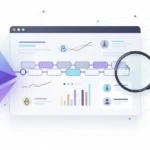
A block explorer is a website that lets anyone search and read the public data recorded on a blockchain. Think of it as a search engine built for one specific chain. Instead of indexing web pages, it indexes wallet addresses, transactions, and blocks, then displays that information in a format a normal person can actually read.
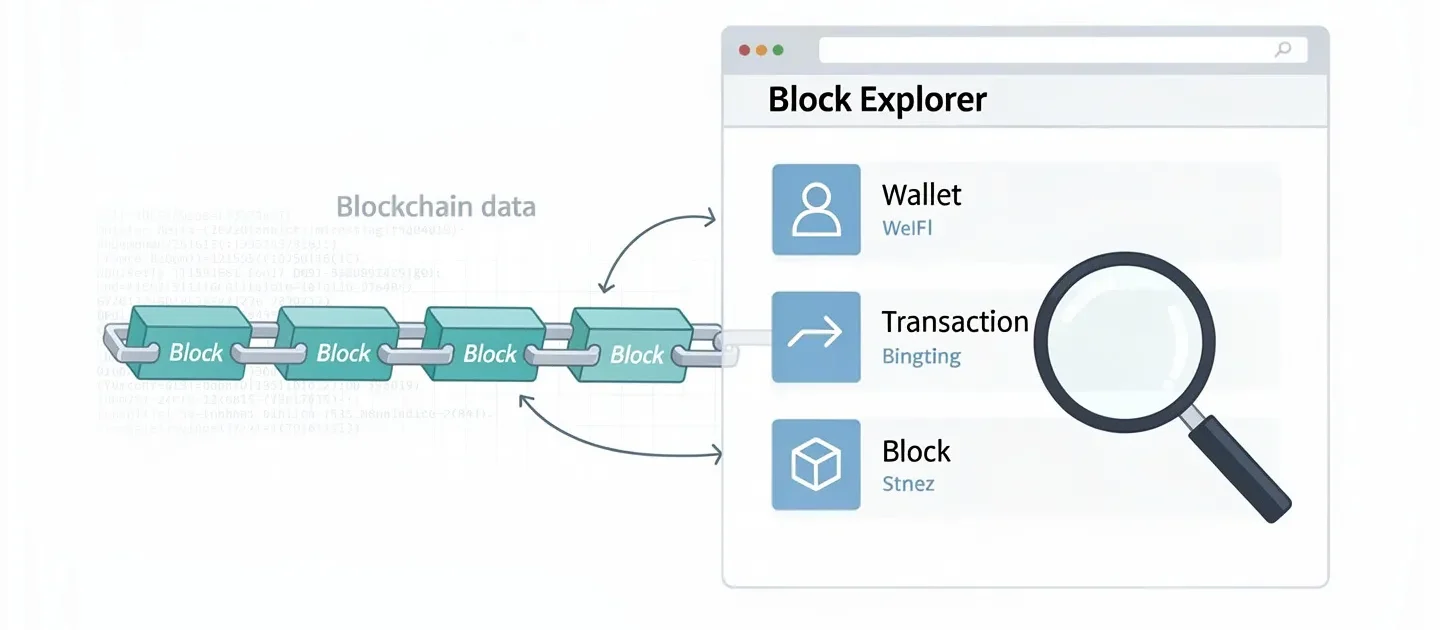
Every major blockchain has its own explorer, because the raw data stored on a chain is not something you can browse directly without one. Bitcoin has its own explorers, Solana has Solscan, and Ethereum has Etherscan, which most people treat as the standard example of what a block explorer does.
Without a block explorer, checking whether a payment actually went through would mean running your own copy of the entire blockchain, which takes serious storage space and technical setup most people never bother with. A block explorer does that heavy lifting once, on a large scale, so millions of people can search the same data instantly through a browser instead of repeating the work themselves.
What Is Etherscan?
Etherscan is a block explorer built specifically for the Ethereum blockchain. Launched in 2015, it lets anyone search and browse transactions, wallet addresses, blocks, and smart contracts without installing any software or running their own node. It reads data directly from the chain, so what you see is the actual record rather than something reported by a single company or wallet provider.
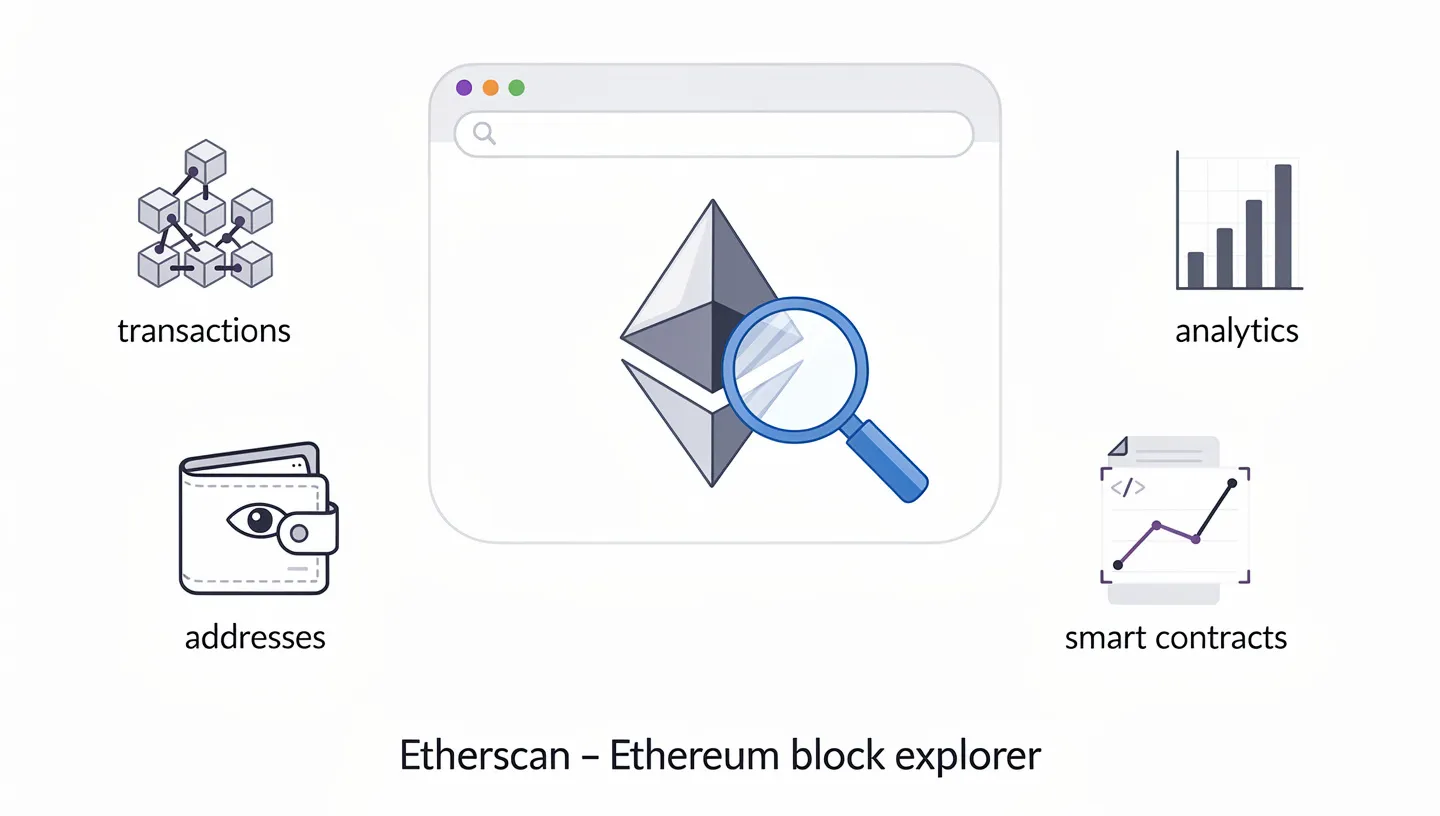
According to Etherscan’s own documentation, it describes itself as the leading blockchain explorer, search, API, and analytics platform for Ethereum and other EVM compatible chains. That description matters because it points to something worth knowing early: Etherscan has grown well past a simple lookup tool into a full analytics platform, even though most people only ever touch a small fraction of what it offers.
Part of why Etherscan became the default rather than one option among many comes down to timing and trust. It launched early, kept its data accurate through years of network upgrades, and never charged ordinary users for basic searches, which let it build a habit among millions of people long before serious competitors showed up. That head start is still visible today in how often Etherscan gets cited as the source of record whenever a transaction needs to be verified publicly.
Etherscan is not a wallet. You cannot store, send, or receive crypto through it, and it never asks for a private key or seed phrase during a normal search. It only displays what is already public on the blockchain, which is exactly why using it carries no risk to your funds on its own.
How Does Etherscan Work?
Etherscan connects to Ethereum nodes using a communication method called RPC, short for Remote Procedure Call, which lets it pull fresh data as new blocks get added to the chain. Once a block lands, Etherscan extracts every transaction and smart contract event inside it and adds that information to its own searchable database.
This indexing step is what makes the whole thing fast. Scanning the raw blockchain from scratch every time someone searches would take far too long, so Etherscan keeps an organized, constantly updated copy that can answer a search in under a second. When you type an address or transaction hash into the search bar, you are querying that indexed database, not the blockchain directly, though the two stay in sync as new blocks arrive roughly every twelve seconds.
Running your own Ethereum node and reading data straight from it is technically possible for anyone with the storage and bandwidth to spare, and some developers do exactly that for projects where trusting a third party is not an option. For everyday use though, Etherscan already does this work continuously at a scale most individuals could never match, which is the entire reason a shared block explorer exists in the first place rather than everyone running their own setup.
This is the same basic architecture behind any block explorer, whatever chain it covers. Nodes and an API supply the raw material, and the explorer’s own indexing layer is what turns that material into something searchable in a second rather than hours. The interface changes from one explorer to the next, but the underlying pattern of nodes feeding data into an indexed, searchable database stays remarkably consistent across the industry.
Key Terms to Know Before You Start
A handful of terms come up constantly once you start using Etherscan, and knowing them ahead of time makes everything easier to follow.
- Wallet address: a unique string starting with 0x that identifies where crypto is sent, received, or held.
- Transaction hash (TXID): a unique code assigned to every transaction, used to look up its exact details.
- Block: a batch of transactions grouped together and added to the chain at once, each with its own number.
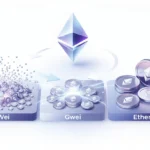
- Gas fees: the cost paid to have a transaction processed, priced in a small unit of ETH called Gwei.
- Smart contract: self-executing code deployed on Ethereum that Etherscan lets you inspect and interact with.
- Verified contract: a contract whose published source code matches what is actually running on-chain, which Etherscan confirms with a visible badge.
How to Use Etherscan: Step by Step
The interface changes slightly with each update, but the core workflow has barely changed since the site launched. You paste what you are looking for into the search bar at the top of the page, then read the result.
How to Look Up a Wallet Address
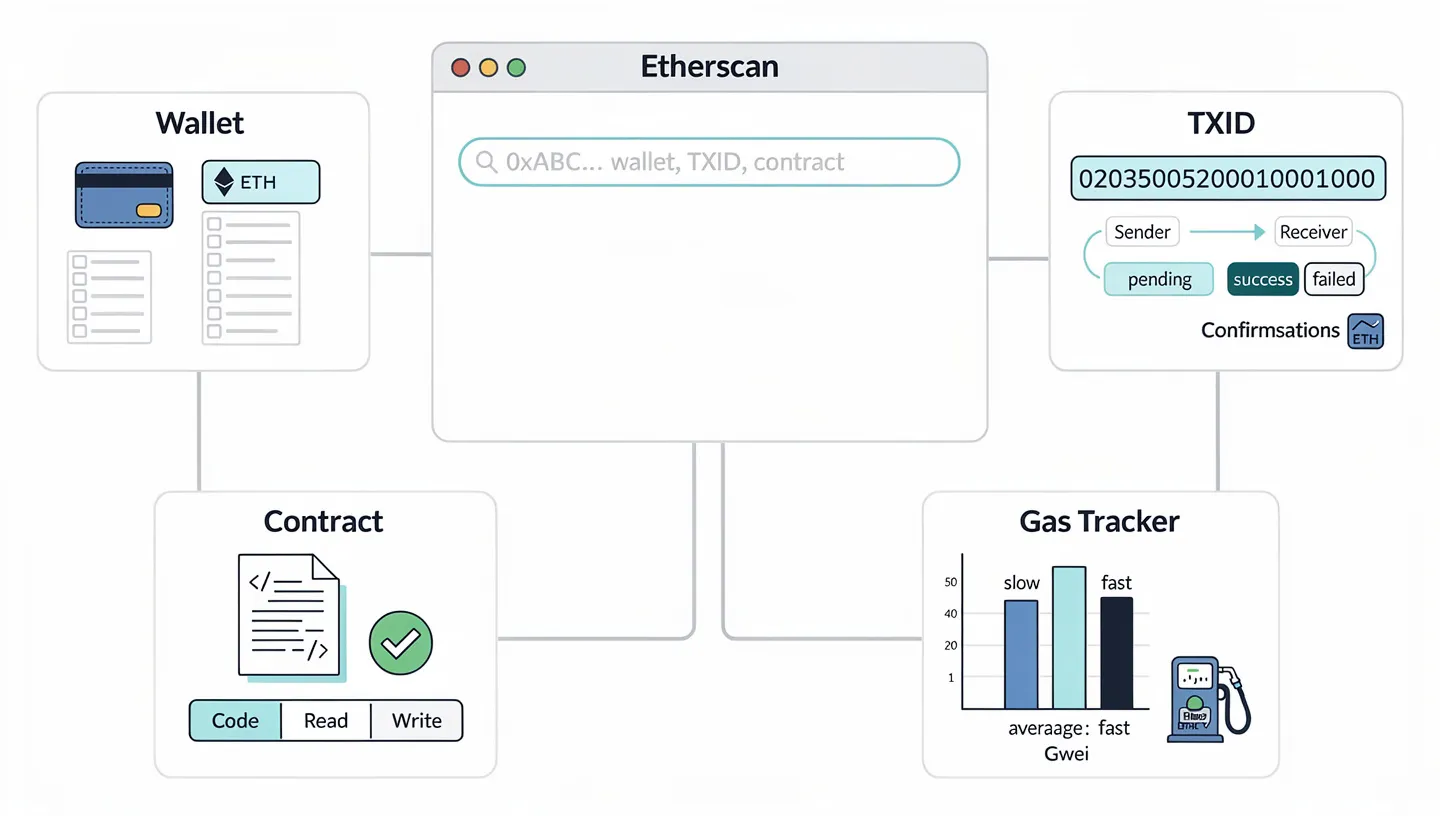
Copy the wallet address you want to check, paste it into the search bar on etherscan.io, and press enter. The address page that loads shows the current ETH balance, a full transaction history in chronological order, and any ERC-20 tokens or NFTs the address is holding. This works the same whether you are checking your own wallet after using a wallet like MetaMask or looking up someone else’s public address, since every balance on Ethereum is visible to anyone who knows where to look.
A few tabs sit beneath the main balance that most beginners skip past. The Internal Txns tab shows value moved as a side effect of contract activity rather than a direct transfer, and Token Transfers gives a chain level view specifically of ERC-20 movement, separated out from plain ETH sends. Clicking through these once or twice makes the whole address page far less intimidating the next time you open it.
How to Check a Transaction (TXID)
Find your transaction hash, usually labeled TXID inside your wallet or exchange app, and paste it into the search bar. The transaction page shows the sender and receiver, the amount transferred, the gas fee paid, the exact timestamp, and a status line that reads either pending, success, or failed. A pending status simply means the transaction has not yet been included in a block, while failed usually points to a ran out of gas error or a rejected smart contract call.
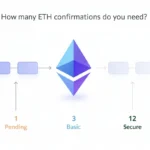
Confirmations matter here too, though beginners often overlook them. Each new block added after the one containing your transaction counts as another confirmation, and once a handful have piled up, generally more than ten, the transaction is considered fully settled with essentially no chance of being reversed. Checking this number is useful for larger transfers where you want extra certainty before treating the funds as fully arrived.
How to Look Up a Smart Contract
Searching a contract address works exactly like searching a wallet, but the result page adds extra tabs. If the contract has been verified, you can read its source code directly, check its current token balances, and see every function call ever made against it. This matters before connecting your wallet to a new smart contract for the first time, since reviewing the code, or at least confirming it has been verified, is one of the simplest ways to avoid an obvious scam.
Verification does not happen automatically. A developer has to submit their source code to Etherscan, which then compiles it and checks that the result matches exactly what is running on-chain. Once that check passes, the contract gets a green checkmark and the full code becomes readable to anyone, developer or not.
How to Check Gas Fees
Etherscan’s Gas Tracker sits right on the homepage and shows current recommended prices in Gwei for slow, average, and fast transactions. Since gas fees shift constantly with how busy the network is, checking the tracker before sending a transaction can save a noticeable amount, especially during periods of heavy congestion. One Gwei equals 0.000000001 ETH, and the tracker updates its numbers continuously rather than on a fixed schedule.
Watching the tracker for a few minutes before sending something non urgent is a habit worth building. Gas prices on Ethereum can swing considerably within a single hour depending on how much activity is happening across the network, so a transaction that would cost several dollars during a busy stretch might cost a fraction of that an hour later once things quiet down.
What Else Can You Do on Etherscan?
Beyond the basic lookups, Etherscan carries a handful of features built for people who check the same information repeatedly rather than searching a one-off transaction.
| Feature | What It Does |
|---|---|
| Token Tracker | Shows a token’s price, supply, holder count, and transfer history |
| Event Logs | Displays actions a smart contract has emitted, useful for developers |
| Internal Transactions | Shows value moved between contracts that never appear as a standalone transaction |
| Watch List | Sends an alert when a saved address makes a transaction, up to 50 addresses |
| Token Approval Checker | Lists which contracts can spend your tokens and how much they are allowed to take |
| API access | Lets developers pull the same data into their own tools, free at a basic tier |
None of these require an account except the Watch List and saved notes, so casual users searching a wallet or transaction never have to sign up for anything. Internal transactions deserve a closer look for anyone digging into DeFi activity, since these are value transfers that happen as a side effect of a smart contract executing, rather than a transfer someone initiated directly. A single swap on a decentralized exchange, for example, might trigger several internal transactions behind the scenes as the contract moves tokens between different pools before the trade completes.
Is Etherscan Safe to Use?
Avoiding Phishing Look-Alikes
Etherscan only reads public blockchain data, so searching an address or transaction carries no risk to your funds by itself. The real danger sits elsewhere. Because Etherscan is one of the most searched tools in crypto, fake copies of the site that mimic its design show up regularly, usually built to trick people into connecting a wallet or entering a seed phrase somewhere they should not. The genuine site is always etherscan.io, and bookmarking that exact address rather than searching for it every time is a small habit that avoids most of this risk. Staying alert to common scams more broadly in the space is worth doing regardless of which explorer you use.
What Etherscan Can and Cannot See
Ethereum is transparent by design, so anyone, Etherscan included, can see a wallet’s full balance and history. Addresses themselves are pseudonymous rather than tied to a real name by default, but once an address gets linked publicly to a person, whether through a social media post or an invoice, that connection tends to stick. Treat any address you post publicly as no longer fully private, since piecing together identity from an on-chain trail is a well documented technique once that first link exists somewhere.
This transparency cuts both ways for anyone doing research. It means you can check a project’s wallet activity, an exchange’s cold storage movements, or a suspicious contract’s history without asking permission from anyone, since none of that data was ever private to begin with.
Common Mistakes Beginners Make on Etherscan
A few mix-ups come up again and again with people new to the tool. Pasting a wallet address into the field meant for a transaction hash, or the reverse, returns nothing useful and confuses people into thinking something is broken. Searching an address or hash from a completely different chain, like Bitcoin or Solana, also returns nothing, since Etherscan only understands Ethereum and other EVM compatible networks.
Another common trap is assuming a verified badge on a smart contract automatically means the project is safe. Verification only confirms that the published source code matches what is actually deployed. It says nothing about whether that code does something harmful, so a verified contract can still be built around a scam. Double checking a project’s reputation elsewhere before connecting a wallet still matters, even after confirming the contract is verified.
A third mistake worth avoiding is granting unlimited token approvals without reading what a transaction actually asks for. Many decentralized apps request approval to spend an unlimited amount of a token rather than just the amount you intend to use, and Etherscan’s Token Approval Checker, listed under its information center, exists specifically to help you review and revoke these approvals later if you no longer trust the app that requested them.
Etherscan Alternatives: Block Explorers for Other Chains
Etherscan only covers Ethereum and other EVM compatible networks. If you hold assets on a different chain, you will need that chain’s own block explorer, since an address or transaction hash from one network simply will not resolve on an explorer built for another.
- BscScan covers BNB Chain
- PolygonScan covers Polygon
- Arbiscan covers Arbitrum
- Solscan covers Solana
Many of these share the same interface style as Etherscan, since the same team built several of them after Etherscan expanded beyond a single chain. If you are working across networks and want to double check gas costs before moving funds through a bridge to a Layer 2, checking the source chain’s explorer first is a good habit to build early. Rollups and sidechains built on top of Ethereum often get their own dedicated explorer too, even though they inherit security from the Ethereum mainnet, simply because their transaction data lives in a separate database that the main Etherscan site does not index by default.
Why the Ethereum Block Explorer Matters
Etherscan is the fastest way to verify what actually happened on Ethereum. Paste an address, a transaction hash, or a contract, and you get the real record straight from the chain, free and without creating an account. That makes it useful for spot checking a transfer, confirming a payment landed, or reviewing a contract before connecting a wallet to it. Developers testing on Ethereum’s Sepolia testnet get the same tool through a dedicated version of the site, so the skills carry over whether you are checking a real transaction or one still in testing.
Once you get comfortable pasting addresses and transaction hashes into the search bar, checking Ethereum activity stops feeling like a technical chore and starts feeling closer to checking a bank statement. That shift matters more than it sounds, because it removes the need to trust a screenshot, a customer support reply, or someone’s word for it. The Ethereum block explorer gives you the same record everyone else sees, and that record does not change depending on who is looking at it.
Frequently Asked Questions
Do I need an account to use Etherscan?
No. Every core lookup, including wallet addresses, transactions, and smart contracts, works without registering. A free account only unlocks extras like the Watch List and private notes on saved addresses.
Is Etherscan free to use?
Yes. All the standard search features are free. Etherscan does offer a paid API tier for developers who need a higher volume of requests than the free tier allows, but nothing about basic searching costs money.
Is Etherscan a wallet?
No. Etherscan only displays public blockchain data. It cannot hold funds, send transactions, or store a private key, so it never functions as a wallet even though it shows wallet balances.
Can someone steal my crypto just by knowing my wallet address?
No. A wallet address is only useful for receiving funds or looking up public history. Moving or spending crypto from that address always requires the matching private key or seed phrase, which a wallet address alone never reveals.
Can I track NFTs on Etherscan?
Yes. Searching a wallet address shows any ERC-721 or ERC-1155 tokens it holds, and searching an NFT collection’s contract address shows its full transfer history and metadata.
Does Etherscan work for other blockchains besides Ethereum?
No, Etherscan itself only covers Ethereum and EVM compatible networks. Other chains rely on separate explorers built for their own data, such as Solscan for Solana or a dedicated Bitcoin explorer.
What happens if my transaction does not show up on Etherscan?
A transaction that was just submitted can take a short while to appear, especially during busy periods on the network. If it still is not showing up after several hours, the transaction likely never left your wallet or exchange, so it is worth checking there first before assuming something is wrong with the explorer itself.
Can Etherscan tell me who owns a wallet?
Not directly. Wallet addresses on Ethereum are pseudonymous, meaning Etherscan shows the balance and transaction history tied to an address but not a real name behind it, unless that address has been publicly linked to an identity somewhere outside the blockchain itself.