The best Ethereum wallet in 2026 depends on how you use ETH. MetaMask and Rabby work best for daily DApp access and DeFi. Ledger and Trezor keep private keys offline for long-term storage. Coinbase Wallet and Trust Wallet have the most beginner-friendly setup. No single wallet handles every use case equally well, which is why most holders of meaningful ETH amounts end up running more than one. This guide covers the top hot wallets and cold wallets, the key differences between them, how to build a secure wallet setup, and the mistakes that cost users the most.
Best Ethereum wallets at a glance
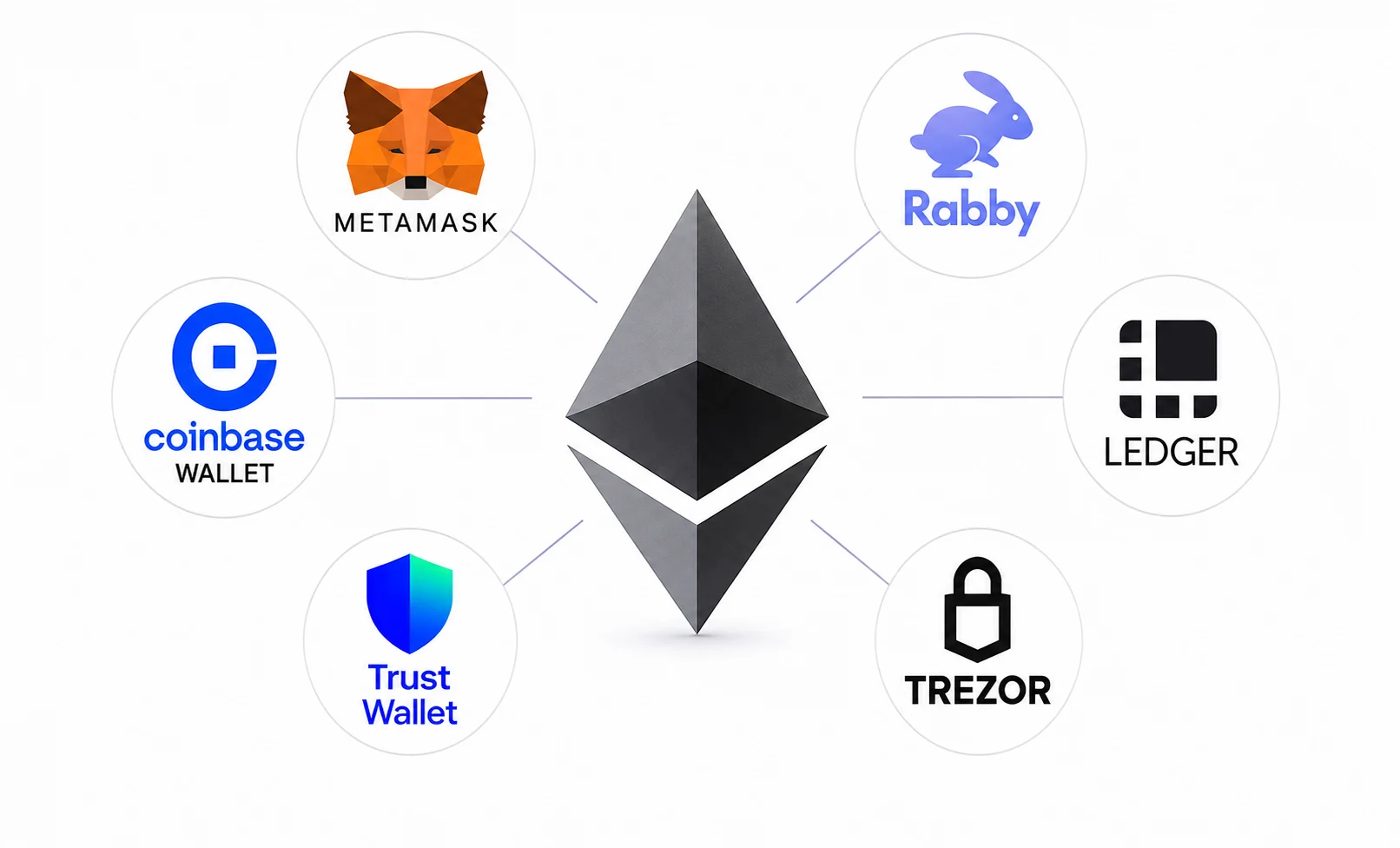
The table below gives a quick comparison across all ten wallets covered in this guide.
| Wallet | Best for | Type | Platforms | Swap fee | Hardware support |
|---|---|---|---|---|---|
| MetaMask | Broad DApp access | Hot wallet | Browser, iOS, Android | 0.875% | Ledger, Trezor |
| Rabby | Active DeFi users | Hot wallet | Browser, Desktop, iOS, Android | 0.25% | Ledger, Trezor, Keystone, others |
| Trust Wallet | Mobile multi-chain | Hot wallet | iOS, Android, Browser | Variable | Ledger (extension) |
| Coinbase Wallet | Beginners | Hot wallet / smart wallet | iOS, Android, Browser | Variable | Ledger |
| Rainbow | NFTs and Ethereum mobile | Hot wallet | iOS, Android, Desktop | None | Limited |
| Exodus | Simple desktop and mobile | Hot wallet | Desktop, iOS, Android | Spread-based | Ledger, Trezor |
| Ledger | Long-term cold storage | Cold wallet | Hardware + app | – | Native |
| Trezor | Open-source cold storage | Cold wallet | Hardware + Suite | – | Native |
| Safe | Teams and DAOs | Multisig smart wallet | Web | – | Hardware wallets as signers |
| MyEtherWallet | Advanced ETH users | Hot wallet / interface | Web, Mobile | Variable | Ledger, Trezor |
What is an Ethereum wallet?
An Ethereum wallet is the tool you use to access and control an Ethereum account. ETH does not sit inside the wallet itself. Your assets stay on the Ethereum blockchain, while the wallet holds the private keys that authorize transactions. If someone gets your private keys or recovery phrase, they can access everything in that account without your password or permission.
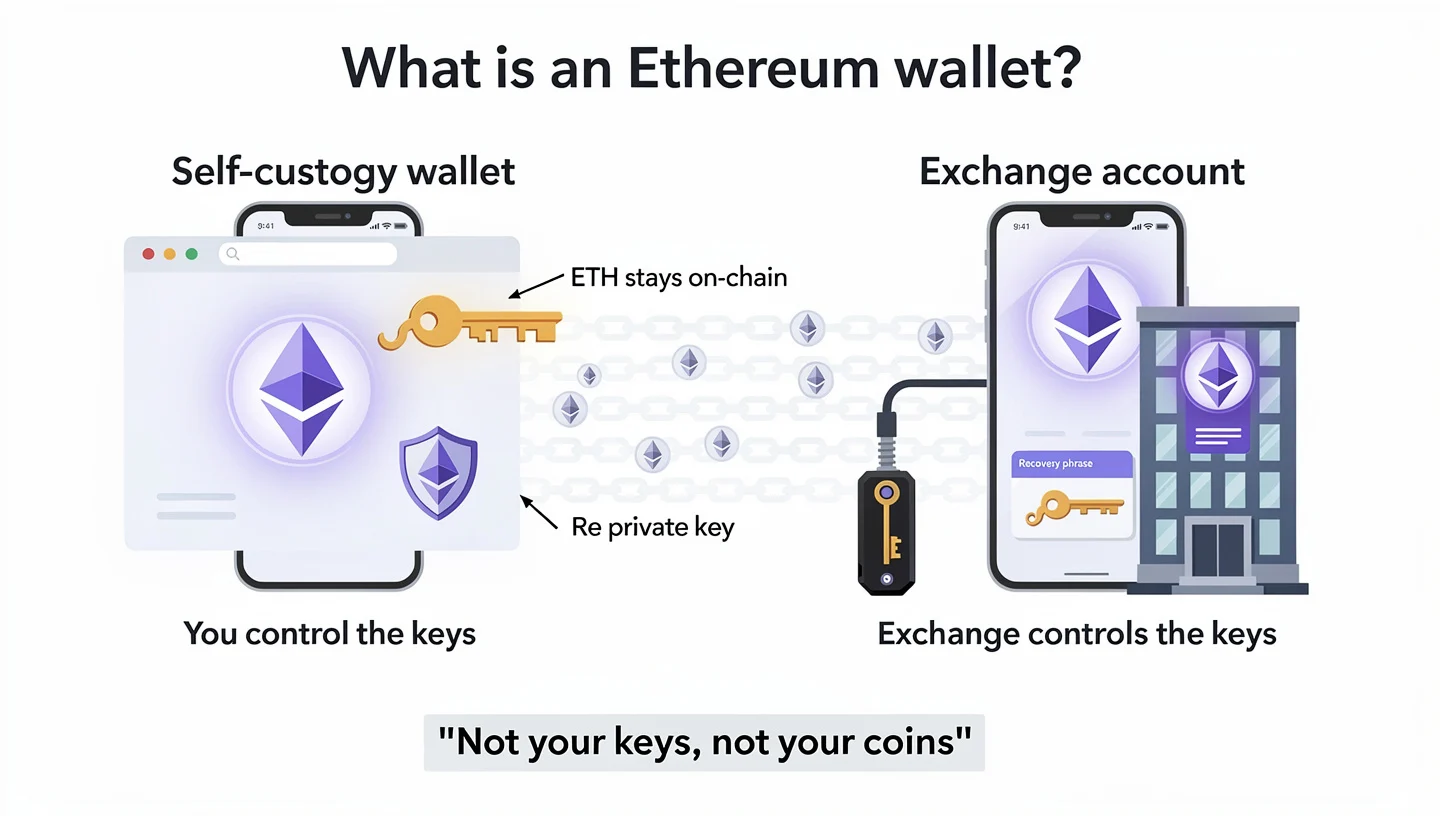
Two terms get mixed up often. A self-custody wallet means you hold the private keys. A crypto exchange account means the platform holds them on your behalf. The phrase “not your keys, not your coins” captures the risk of exchange custody: if the exchange controls the keys, the exchange controls the funds. Exchanges also carry risks from hacks, insolvencies, and withdrawal freezes that a self-custody wallet does not.
Good Ethereum wallets handle more than just sending and receiving ETH. A full-featured wallet connects to decentralized applications, manages ERC-20 tokens and NFTs, handles token approvals, switches between Ethereum mainnet and Layer 2 networks, and in many cases integrates with a hardware wallet for safer signing. What you need from a wallet depends entirely on how you plan to use Ethereum. If you do not hold any ETH yet and want to buy some before setting up a wallet, our step-by-step guide on how to buy Ethereum covers the full process.
Hot wallets vs cold wallets: what is the difference?
A hot wallet runs on an internet-connected device: a phone, a browser, or a desktop app. This makes it fast and convenient for daily use. Most interactions with DeFi protocols, NFT platforms, decentralized exchanges, and Layer 2 networks happen through hot wallets. The trade-off is exposure: a hot wallet’s private keys can be reached through phishing, malware, or a compromised device.
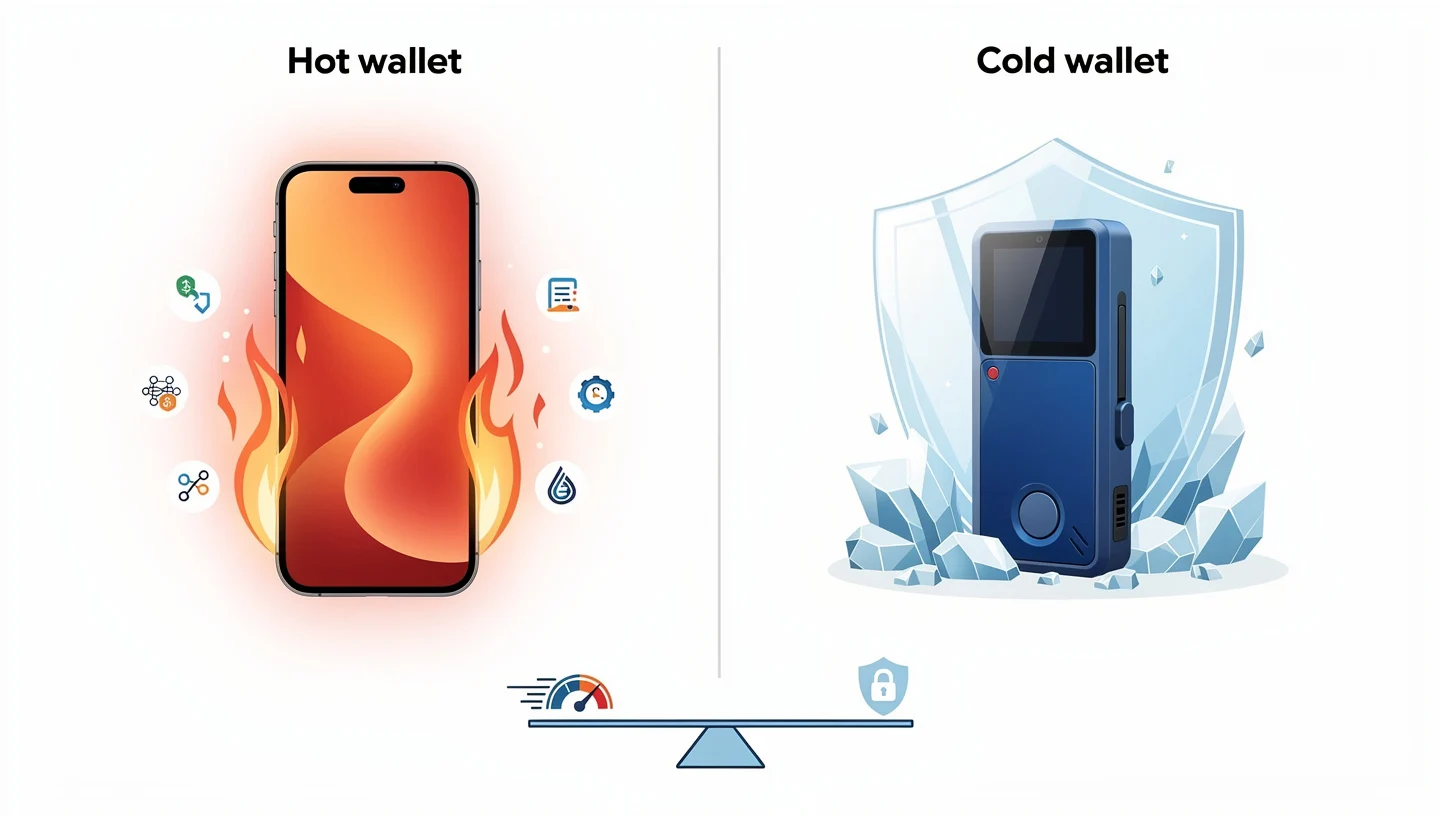
A cold wallet keeps private keys offline on a separate physical device. Hardware wallets from Ledger and Trezor are the main examples. Because the keys never touch an internet-connected device directly, online attacks and browser malware cannot reach them. The trade-off is convenience: hardware wallets require physical confirmation for every transaction and cost money upfront.
| Hot wallet | Cold wallet | |
|---|---|---|
| Connected to internet | Yes | No |
| Best for | Daily DApps, DeFi, NFTs, swaps | Long-term ETH storage, larger balances |
| Private keys | On internet-connected device | Offline on hardware device |
| Cost | Free to download | $79 to $398 depending on model |
| Main risk | Phishing, malware, bad approvals | Physical loss, blind signing, supply chain |
| Examples | MetaMask, Rabby, Trust Wallet | Ledger, Trezor, ELLIPAL |
A third category worth knowing is smart wallets. These use smart contracts to add features such as passkeys, social recovery, or multi-signer approval rules. Base App and Safe are examples. Smart wallets can simplify recovery and reduce dependence on a single seed phrase, but support and compatibility still vary across protocols and networks. For most ETH holders the practical setup is one cold wallet for long-term storage and one hot wallet for active use. For a detailed explanation of how gas fees apply to transactions across all wallet types, see our guide on Ethereum gas fees.
Best hot wallets for Ethereum in 2026
Hot wallets are built for active Ethereum use: DeFi protocols, NFT mints, token swaps, Layer 2 networks, and daily dApp connections. None of them should hold more ETH than you are comfortable with being at risk on an internet-connected device. The following six wallets are the strongest choices across different use cases.
MetaMask – best for broad Ethereum DApp access
MetaMask has been the default entry point into Ethereum since 2016. It was built by Consensys, the company co-founded by Ethereum co-founder Joseph Lubin, and has been used by more than 100 million people. Its main strength is compatibility: if a DApp supports Ethereum wallets, MetaMask is almost always one of the first connection options. It supports Ethereum, EVM-compatible chains, and through the Snaps plugin system, now extends to Bitcoin, Solana, and other non-EVM networks.
The 2025 additions that resolved long-running complaints include Smart Transactions (which reduce failed transactions), security alerts enabled by default, and transaction simulation that shows what a signature will move before you approve it. MetaMask also launched a self-custodial Mastercard debit card and a stablecoin yield account (MetaMask Money Account) in 2026 as separate products.
The costs are worth knowing before relying on built-in features. In-wallet swaps carry a 0.875% fee on every trade. On a $10,000 swap, that is $87.50, comparable to a centralized exchange fee. MetaMask also takes 15% of staking rewards when staking through MetaMask Portfolio. Users who swap or stake frequently will save money routing those actions through DEXs or independent staking providers directly. MetaMask is no longer fully open-source, operating under a custom proprietary licence since 2020. Its default RPC is Infura (a Consensys service), which logs IP addresses and wallet addresses for analytics, though this can be changed in settings.
Best for: users who want the broadest possible DApp compatibility across Ethereum, EVM chains, NFT marketplaces, and DeFi protocols. Pair with a hardware wallet for any meaningful ETH balance.
Skip if: swap fees matter and you trade often, you need fully open-source software, or you want to keep large funds in one hot wallet without hardware signing.
For a full walkthrough of setting up MetaMask and configuring its gas and security settings, see our guide on how to set up MetaMask.
Rabby – best for active DeFi users
Rabby was built by the DeBank team, the company behind the DeFi portfolio tracker DeBank, which explains why Rabby handles DeFi workflows better than most wallets out of the box. Its defining feature is transaction simulation: before you sign anything, Rabby shows you exactly what the transaction will do, which assets will move, and which risks the contract interaction carries. MetaMask added transaction simulation later; Rabby built it in from the start and has iterated on it further.
Rabby switches EVM networks automatically, flags risky token approvals, and shows a risk score for contracts before you interact with them. Its swap fee is 0.25%, compared to MetaMask’s 0.875%, which adds up quickly for active traders. It supports Ethereum, Arbitrum, Optimism, Base, Polygon, BNB Chain, and many other EVM chains, and connects to Ledger, Trezor, Keystone, GridPlus, and BitBox02 hardware wallets. It is not the obvious choice for users who rarely interact with DApps or need Solana and Bitcoin support in the same wallet.
Best for: active EVM DeFi users, anyone who approves contracts frequently, and users who want better transaction context before signing.
Skip if: you want the most widely recognized wallet for beginners, you rarely use DApps, or you need native Solana or Bitcoin support without Snaps.
Trust Wallet – best for mobile multi-chain use
Trust Wallet is owned by Binance and supports more than 100 blockchains from a single app. It is the strongest option for mobile users who want Ethereum alongside broad coverage of other networks without maintaining separate wallets for each. It handles ETH, ERC-20 tokens, NFTs, and dApp access through a built-in browser, and includes staking, buying, and swapping within the app.
The Security Scanner adds a layer of protection against malicious approvals and suspicious transactions. In late 2025, Binance disclosed a security issue affecting the Trust Wallet browser extension version 2.68, which was patched. The app version was not affected, but the disclosure is worth noting when choosing between the browser extension and the mobile app. For users who hold meaningful balances without a hardware wallet, the mobile hot wallet model still carries standard online risks.
Best for: mobile-first users who want Ethereum plus broad multi-chain support in one app.
Skip if: you need advanced DeFi transaction simulation, you hold large balances without cold storage, or you need a desktop-first setup.
Coinbase Wallet / Base App – best for beginners
Coinbase Wallet (now also available as the Base App) is a separate product from the Coinbase exchange. The exchange holds custody for you; Coinbase Wallet puts control in your hands through self-custody. This distinction confuses beginners more than almost any other issue in Ethereum wallets, and it matters: funds in Coinbase Wallet are not covered by the exchange’s insurance or withdrawal policies.
Its advantage over MetaMask for beginners is a cleaner onboarding flow. It supports passkeys and email-based sign-in so users can set up without immediately managing a seed phrase. Coinbase-linked funding makes transferring from the exchange to self-custody easier than on most rivals. The wallet aligns closely with the Base network, Coinbase’s own Layer 2, and supports Ethereum plus a broad range of EVM chains and Solana.
Best for: existing Coinbase users, beginners moving into self-custody for the first time, and Base network users.
Skip if: you need advanced DeFi controls or the deepest hardware wallet integration, or you want the widest dApp support from day one.
For a direct side-by-side comparison of MetaMask and Coinbase Wallet across security, fees, and DeFi use, see our article on MetaMask vs Coinbase Wallet.
Rainbow – best for NFTs and Ethereum-native mobile use
Rainbow is built around Ethereum rather than broad multi-chain coverage, which makes it feel more focused than wallets trying to support every network at once. Its NFT display is the cleanest among mobile wallets: collections appear visually with metadata intact, and switching between tokens and collectibles is straightforward. Rainbow also has strong ENS (Ethereum Name Service) support, meaning you can send ETH to “name.eth” addresses rather than typing or pasting a 42-character address. It supports Ethereum mainnet, Base, Arbitrum, Optimism, Polygon, Zora, and other major L2s.
Rabby handles DeFi better for power users. MetaMask still has broader DApp recognition. But for NFT collectors and users who want a cleaner Ethereum-native experience on mobile, Rainbow is the stronger daily wallet. To understand how ENS names work and how to register your own .eth address, see our guide on the Ethereum Name Service.
Best for: NFT collectors, ENS users, and Ethereum-native mobile users who spend most of their time on Ethereum mainnet and L2s.
Skip if: you are a heavy DeFi power user, you need the widest possible DApp compatibility, or you need a hardware-wallet-first storage setup.
Exodus – best for simple desktop and mobile use
Exodus is a polished wallet for users who want ETH as part of a broader portfolio view rather than a dedicated Ethereum tool. It tracks many assets across desktop, iOS, and Android, includes built-in swaps and selected staking options, and supports Ledger and Trezor for hardware signing. Its interface is one of the more visually clear options among self-custody wallets.
The main limits: Exodus is not fully open-source, does not offer traditional 2FA, and relies on a classic seed phrase recovery model rather than passkeys or MPC. Swap costs are spread-based, which makes comparing prices less straightforward than a flat percentage fee. Active DeFi users will outgrow it quickly.
Best for: casual ETH holders who want a clean interface, desktop portfolio tracking, and light web3 access without DeFi depth.
Skip if: you need fully open-source software, advanced DeFi controls, or stronger approval visibility.
Best cold wallets for Ethereum in 2026
Cold wallets keep private keys on a separate hardware device that never connects directly to the internet. They are the strongest option for anyone holding more ETH than they would be comfortable losing to a browser compromise or phishing attack. The two most widely used hardware wallets are Ledger and Trezor, which differ most on one point: Trezor is fully open-source while Ledger uses proprietary firmware with a certified secure element. For a detailed side-by-side breakdown of both, see our guide on Ledger vs Trezor.
Ledger – best Ethereum hardware wallet for cold storage
Ledger sells several devices in 2026. The Nano S Plus costs around $79, the Nano X around $149, the Flex around $249, and the Stax around $279. All models store ETH and ERC-20 tokens offline. The Nano X adds Bluetooth for mobile use; the Flex and Stax add touchscreens for easier transaction review. All devices include a CC EAL6+ certified secure element, a dedicated chip designed to resist physical extraction of private keys.
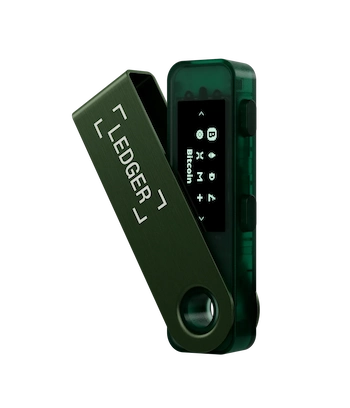
Ledger’s firmware is proprietary, which means the source code cannot be independently verified by outside researchers. Some users view this as a trust trade-off against the security element. In practice, Ledger’s hardware pairing with MetaMask and Rabby gives users the convenience of a familiar hot wallet interface while keeping signing on the physical device. Staking access is available through the Ledger Wallet app via integrated providers.
Best for: long-term ETH holders, users with larger balances, and DeFi or NFT users who want hardware signing without giving up their preferred DApp wallet.
Skip if: open-source firmware is a hard requirement, you do not want to pay for a device, or you plan to connect the hardware wallet to every DApp you try.
Trezor – best open-source Ethereum hardware wallet
Trezor offers the Safe 3 at around $79 and the Safe 5 at around $169. The Safe 3 does not include a secure element; the Safe 5 does. The key differentiator across the entire Trezor range is that both hardware firmware and software are fully open-source, meaning any researcher can read, audit, and verify the code. This is a meaningful advantage for users who prioritise transparency over proprietary security chip architecture.
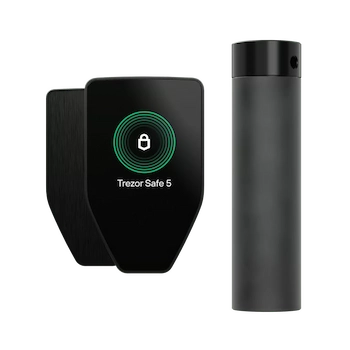
Trezor works with MetaMask, Rabby, and MyEtherWallet for DApp access. Direct DApp use through Trezor alone is more limited than through Ledger’s companion app, so users typically pair it with an external interface. For NFT activity, the experience is less direct than hot wallets. Trezor Suite handles basic asset management on desktop.
Best for: users who value open-source design and transparent cold storage, and ETH holders comfortable using external wallet interfaces for DApp access.
Skip if: you want the most polished all-in-one app experience or need seamless mobile DApp access from the hardware device.
Best Ethereum wallet setup by user type
The right wallet setup depends on how you actually use ETH, not how many features a wallet lists on its website. A beginner should not start with a complex multisig. A DAO treasury should not rely on one person’s mobile wallet. The table below matches each user type to the setup that fits it best.
| User type | Recommended setup | Why it fits |
|---|---|---|
| Beginner | Coinbase Wallet or Trust Wallet | Simplest onboarding, passkey or email recovery options |
| Everyday Ethereum user | MetaMask or Rainbow | Broad DApp access, NFT display, L2 switching |
| Active DeFi user | Rabby plus hardware wallet | Transaction simulation and hardware signing for larger positions |
| Long-term ETH holder | Ledger or Trezor | Private keys offline, minimal online exposure |
| NFT collector | Rainbow for browsing, hardware wallet for valuable NFTs | NFT display plus signing protection for high-value assets |
| ETH staker | Ledger, MetaMask, or MyEtherWallet | Depends on staking route: solo validator, pooled, or liquid staking |
| DAO or team | Safe plus hardware signers | Multisig rules prevent single-person control over shared funds |
| High-value user | Hardware wallet plus activity wallet plus burner wallet | Three-wallet separation limits blast radius of any single mistake |
For ETH holders using staking as part of their long-term strategy, understanding how validators earn rewards and what slashing means is worth the time. Our guide on Ethereum proof of stake covers the full mechanism. For DeFi users moving assets across Layer 2 networks, see our walkthrough on how to bridge ETH to Layer 2.
The three-wallet stack: how to structure your Ethereum security
The most practical security habit for anyone holding meaningful ETH is not choosing one perfect wallet. It is separating wallets by purpose so that one mistake does not expose everything.
The storage wallet holds long-term ETH and valuable NFTs. This should be a hardware wallet: Ledger or Trezor. It connects to DApps rarely or never. Its recovery phrase is stored offline, not digitally. Moving funds from the storage wallet is a deliberate act, not a routine one.
The activity wallet handles daily transactions: DeFi protocols, NFT mints, token swaps, dApp logins, and Layer 2 activity. MetaMask or Rabby are the standard choices. This wallet holds a limited working balance, not a lifetime of savings. If it gets compromised, the loss is bounded by what is in it at the time.
The burner wallet is a separate fresh wallet used only for unknown protocols, risky airdrop claims, unverified mint pages, and any protocol where the risk is unclear. It holds the minimum amount needed to interact and nothing more. If a drainer empties a burner wallet, the storage and activity wallets are untouched.
This setup is not complicated to implement. Creating a second and third wallet address costs nothing in MetaMask or Rabby. The habit of routing risky activity through a burner wallet is one of the single most effective ways to limit damage from the phishing attacks and malicious approvals that cause most Ethereum wallet losses.
Ethereum wallet security: what actually protects your ETH
Most wallet losses on Ethereum do not come from the blockchain being compromised. They come from seed phrase exposure, phishing, blind signing, forgotten token approvals, and moving too fast without reading what a transaction actually does. Here is what matters most.
Seed phrases, private keys and recovery
The seed phrase (also called a recovery phrase or secret recovery phrase) is the master backup for most Ethereum wallets. Anyone who has it can restore the wallet and move every asset. It is not a normal password. There is no reset flow, no customer support team, and no blockchain mechanism that can recover a missing seed phrase once it is gone.
Never store a seed phrase in a screenshot, a cloud notes app, an email draft, or a messaging app. Anyone who can access those services can drain the wallet. For small balances, a paper backup stored somewhere physically secure works. For larger holdings, a metal backup plate is more durable. Users with significant long-term holdings should also think about what happens to access in the event of illness or death, since a recovery phrase hidden so well that no one else can find it creates its own problem.
No legitimate wallet, DApp, marketplace, or support team will ever need your full seed phrase. If anyone asks for it, in any context, it is a scam.
Token approvals and how to revoke them
On Ethereum, interacting with a DeFi protocol or NFT marketplace usually requires granting the protocol permission to move certain tokens from your wallet. This is called a token approval. The approval itself is a smart contract interaction and costs a small gas fee.
The risk is that approvals can be set to unlimited amounts and left active long after you stop using the protocol. If a protocol is later exploited, or if you accidentally interact with a malicious contract and grant it a broad approval, the contract can drain approved tokens without any further action on your part. This is how most wallet drainers work: they do not steal private keys, they exploit approvals the user already granted.
Two tools let you check and revoke active approvals. Revoke.cash connects to your wallet and shows every active token approval, along with the contract address and the amount approved. Etherscan’s Token Approval Checker provides the same view for any address without connecting a wallet. Reviewing and revoking approvals after a period of heavy DeFi or NFT activity is a straightforward habit that removes a significant part of ongoing risk.
Blind signing, phishing and wallet drainers
Blind signing means approving a transaction without readable details. The wallet shows a hex string and asks you to sign it, but you have no way to know what the transaction actually does without decoding the data yourself. Most phishing and drainer attacks rely on blind signing because the malicious contract looks like a routine approval to an untrained eye.
MetaMask is widely described as the most-phished wallet in crypto because of its popularity. Fake browser extensions, fake MetaMask update pages, lookalike mint sites, and impersonators posing as MetaMask support are common attack vectors. Rabby and Ledger (through its clear signing initiative) both push for readable transaction details before confirmation. Transaction simulation in Rabby and MetaMask (now enabled by default) shows expected asset changes before you sign, which gives you a chance to catch something wrong.
The practical rule is simple: download wallets only from official websites or verified app stores, never from links in ads or direct messages, and never approve a transaction you do not understand. For a full breakdown of the most common scams targeting Ethereum users and how to recognize them, see our guide on Ethereum scams.
Ethereum wallet fees explained
Software wallets are free to download, but using Ethereum is not free. The wallet is the interface. The costs come from the network, swap providers, staking providers, and in the case of hardware wallets, the physical device.
| Fee type | What it means | Who charges it |
|---|---|---|
| Ethereum gas fees | Paid in ETH to process every transaction on mainnet | Ethereum network (validators) |
| L2 gas fees | Lower transaction costs on Arbitrum, Base, Optimism, Polygon | Layer 2 network |
| MetaMask in-wallet swap fee | 0.875% on every swap through MetaMask’s built-in swap | MetaMask (Consensys) |
| MetaMask staking commission | 15% of staking rewards when staking via MetaMask Portfolio | MetaMask (Consensys) |
| Rabby in-wallet swap fee | 0.25% on swaps through Rabby’s built-in swap | Rabby |
| Fiat on-ramp fee | Card, bank transfer, or partner spread when buying crypto | Payment provider |
| Hardware wallet cost | One-time purchase of Ledger or Trezor device | Device manufacturer |
Software wallets like MetaMask, Rabby, Trust Wallet, Rainbow, and Exodus are free to install. Ledger devices start at around $79 for the Nano S Plus, and Trezor’s Safe 3 is also around $79. NGRAVE ZERO costs around $398 at the top end. Any transaction on Ethereum mainnet or a Layer 2 requires gas paid in ETH regardless of which wallet you use. Swapping through a wallet’s built-in swap is usually more expensive than going to a DEX aggregator like 1inch or CowSwap directly, where the only fees are the network cost and the liquidity pool spread.
Common Ethereum wallet mistakes to avoid
Most wallet losses trace back to a small number of repeatable errors. Knowing them in advance costs nothing.
- Downloading wallets from unofficial sources. Fake browser extensions and fake app store listings are common. Always verify the URL against the wallet’s official website before installing anything.
- Storing the seed phrase digitally. Screenshots, cloud notes, email drafts, and messaging apps can all be accessed remotely. Offline paper or metal backup is safer.
- Signing transactions without reading them. MetaMask and Rabby now show expected asset changes before you sign. Taking 10 seconds to read that screen prevents the majority of drainer losses.
- Sending ETH to the wrong network. Ethereum mainnet and Layer 2 addresses look identical. Always confirm the network before sending. Send a small test amount first for large transfers.
- Keeping everything in one hot wallet. No hot wallet should hold more than the working balance you need for active use. Long-term ETH belongs on cold storage.
- Leaving old token approvals active. After a period of heavy DeFi use, review active approvals on Revoke.cash and revoke anything from protocols you no longer use.
- Connecting the storage wallet to random DApps. A hardware wallet used for daily DApp activity loses most of its purpose. Keep the storage wallet quiet and use a separate activity wallet for routine transactions.
Frequently asked questions
Which Ethereum wallet is best in 2026?
MetaMask is the best Ethereum wallet for broad DApp access and EVM compatibility. Rabby is the better choice for active DeFi users who want stronger transaction simulation. Ledger and Trezor are the strongest options for long-term storage. Coinbase Wallet and Trust Wallet are the easiest starting points for beginners. No single wallet is best for every use case.
What is the safest Ethereum wallet?
A hardware wallet paired with careful signing habits offers the strongest protection for larger ETH balances. Ledger and Trezor both keep private keys offline. That does not make them invulnerable: hardware wallets can still be used to sign malicious transactions if the user approves them without reading the device screen. The safest setup is a hardware wallet for storage combined with a separate hot wallet for daily activity.
Is MetaMask safe to use?
MetaMask is safe for daily DApp use with balances sized appropriately for a hot wallet. For larger balances, pairing MetaMask with a Ledger or Trezor hardware wallet moves signing off the internet-connected device. MetaMask is the most widely phished wallet in crypto due to its popularity, so downloading it only from the official metamask.io site, never from ads or links in messages, is important.
What is the difference between a hot wallet and a cold wallet?
A hot wallet stores private keys on a device connected to the internet. It is fast and convenient for daily use but more exposed to online risks. A cold wallet keeps private keys on a physical hardware device that stays offline. It is less convenient but significantly reduces the attack surface for online threats like phishing and malware.
Do you need a hardware wallet for Ethereum?
For small balances and active daily use, a software hot wallet is often enough. For larger amounts, long-term storage, or valuable NFT collections, a hardware wallet is worth the cost. Ledger’s Nano S Plus and Trezor’s Safe 3 both start at around $79, which is a small cost compared to the risk of keeping significant funds permanently in a browser wallet.
Are Ethereum wallets free?
Software wallets including MetaMask, Rabby, Trust Wallet, Coinbase Wallet, Rainbow, and Exodus are free to download. Hardware wallets cost between $79 and $398 depending on the model. All wallets still require ETH to pay gas fees for any transaction on the Ethereum network or its Layer 2 networks, regardless of which wallet you use.